
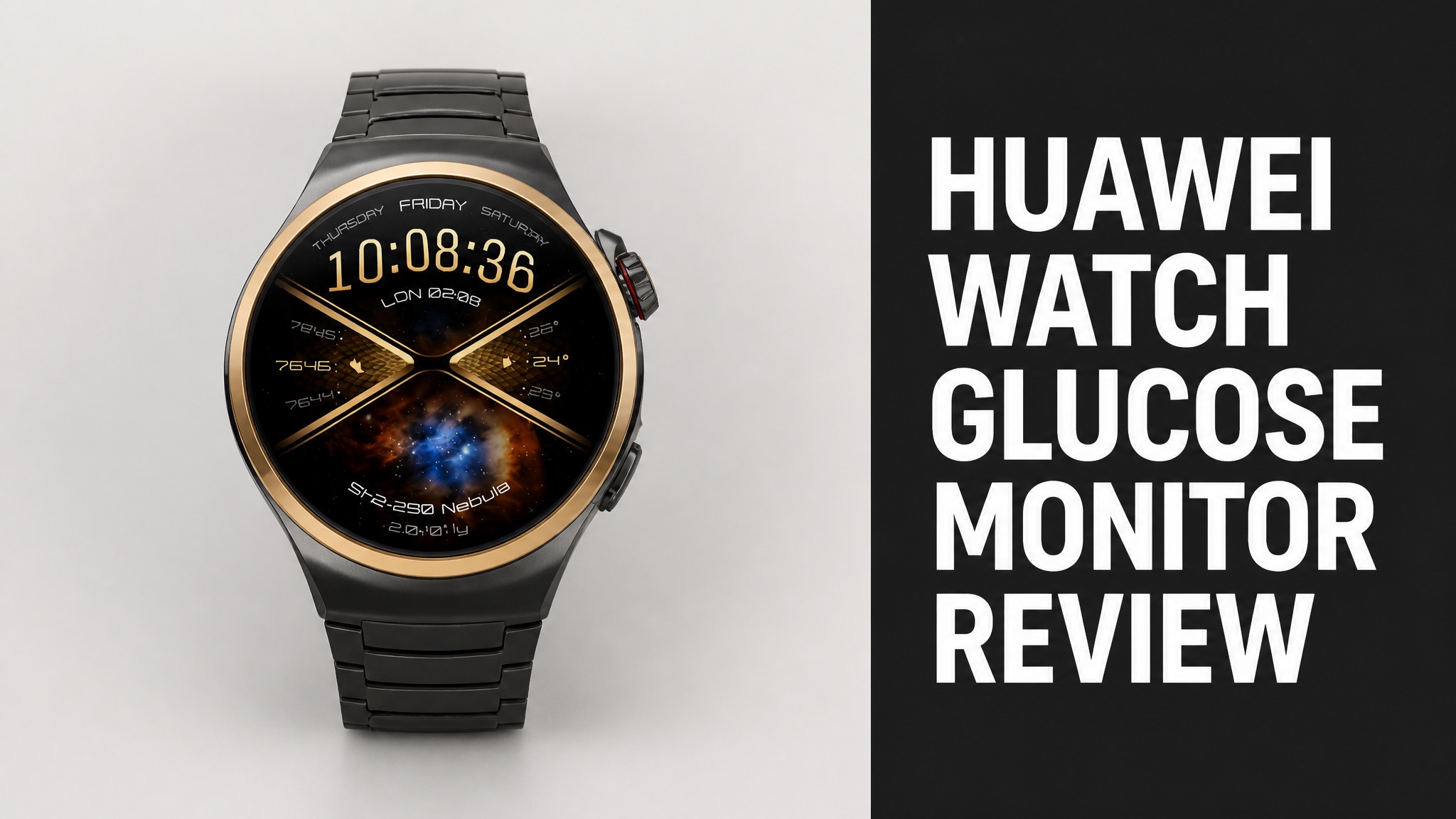
The Huawei watch glucose monitor is a smartwatch feature called the Diabetes Risk Study. Huawei announced it at the World Health Expo Dubai 2026. The tool scores blood sugar risk from wrist sensor data. The tool does not read glucose directly. Huawei markets it to adults who want an early warning about type 2 diabetes.
The study runs on the Watch GT 6 Pro and reaches the GT 7 series in compatible markets. The study reads PPG signals, heart rate and sleep data over 3 to 14 days. The watch then shows a Low, Medium or High rating. Huawei says the result is for reference only and carries no diagnostic value. Reviewers agree the idea is useful but clearly limited in its scope.
So what does that mean for buyers? The feature offers a needle-free early warning, but it cannot replace a CGM or a blood test. Read on to see how it works and what reviewers say. Then check the cost and Huawei’s launch plans. Huawei’s own support page backs up that cautious framing.
What Is the Huawei Watch Glucose Monitor?
The Huawei watch glucose monitor is the Diabetes Risk Study, a feature that estimates blood sugar risk from wrist data. Huawei announced the tool at the World Health Expo Dubai 2026. The feature runs on the Watch GT 6 Pro. Photoplethysmography (PPG) sensors and other body signals drive the risk score. Huawei calls the output a reference, not a diagnosis.
Here’s the thing: the name is misleading. The watch does not draw blood or show a glucose number. Instead, the software reviews resting heart rate and sleep patterns, which research links to diabetes.
Huawei targets adults who worry about blood sugar. The group includes healthy people and people with type 2 pre-diabetes or type 2 diabetes.
Does the Huawei Watch Measure Blood Glucose?
No. The Huawei watch does not measure blood glucose and never shows a glucose concentration on screen. Huawei’s support page says the Diabetes Risk Study returns a risk category only. Results are for reference and are not meant for medical diagnosis. Anyone who needs treatment decisions must use approved tests instead. A risk label is the only output.
Bottom line: a risk rating is not a reading. Does that matter? Yes, because only a finger-prick meter or a CGM gives a true glucose value.
How Does the Huawei Watch Glucose Feature Work?
The Diabetes Risk Study collects vital sign data and turns it into a Low, Medium or High risk rating. The watch gathers heart rate and sleep data while you wear it day and night. Software then compares the pattern against research that links resting heart rate to diabetes risk. The process runs quietly in the background. Nothing else is required of you.
Think of it this way: the watch acts like a quiet observer. The tool runs in the background, so no manual test is needed. You just wear the watch and wait.
How to Join the Study:
- Open the app list on the watch.
- Go to HUAWEI Research and select Diabetes Risk Study.
- Tap Join study.
- Wear the watch day and night for 3 to 14 days.
- Tap View details when the result message appears.
What Data Does the Diabetes Risk Study Use?
The study uses PPG readings, heart rate and sleep data collected by sensors built into the watch. Notebookcheck notes that the tool combines photoplethysmography technology with other sensors. Huawei’s support page says the watch records vital signs in different states across the day and night. Both inputs feed the final risk score. Nothing is invasive.
And each round needs enough clean data. The watch must capture at least 15 hours of resting daytime data and 30 hours of sleep data. Daily minimums are 2 hours of valid daytime data and 4 hours of night data.
To be clear, sloppy wear means weak results. If data runs short, the watch reports no assessment result. You then start a new round.
How Long Does the Assessment Take?
A round takes between 3 and 14 days of continuous wear before the watch shows a result. Huawei says a message appears on the watch when the round ends. Tap View details to see the rating. You can also end the cycle early with End cycle and start a new one whenever you want. Short answer: expect two weeks at most. Wear it day and night for best results.
Is that fast? Not compared with a meter that answers in seconds. But the longer window lets the watch see patterns instead of one snapshot.
During a round, Huawei advises avoiding high-sugar and high-fat foods. Exercise moderately and get enough rest, too.
Which Huawei Watches Support the Diabetes Risk Study?
The Watch GT 6 Pro is the model where Huawei first made the Diabetes Risk Study live. The Watch GT 7 series supports risk assessment in compatible markets. Notebookcheck reports the tool should reach other Huawei smartwatches later, but rollout details remain thin. Huawei has not published a full model list. Check the support page for your region first.
Availability is the catch. Huawei says the feature is only available in certain markets. So check your region before you buy a watch for this reason alone.
Supported Watches:
| Watch | Study Status | Source |
|---|---|---|
| Watch GT 6 Pro | Feature live | Notebookcheck |
| Watch GT 7 series | Risk assessment in compatible markets | Gadgets and Wearables |
| Watch D3 | Blood pressure strap, no study confirmed | Gadgets and Wearables |
Does the Huawei Watch Glucose Feature Work With iPhone?
No. The HUAWEI Research app is not available on iPhones, so iPhone users cannot read their results on the phone. Huawei says the watch can still run the study on its own. Results then appear on the watch screen under the Diabetes Risk Study app, in the assessment records. Android users can also read results in the app. iPhone owners rely on the watch alone.
In plain English: Android phones add the app view, while iPhones stay limited to the watch screen.
What Are the Benefits of the Huawei Watch Glucose Feature?
The main benefit is a low-effort early warning about blood sugar risk without needles, patches or finger pricks. The watch collects data while you live normally. eWeek notes that the feature folds several health signals into one easy category. Nobody has to interpret each metric alone. Everyday wear is all the feature asks of the person. Simple enough.
And here is the best part: no chart reading is required. Does that help casual users? Yes, because one rating is easier to act on than ten metrics.
Main Benefits:
- No needles, sensors or adhesive patches
- Passive background data collection
- Simple Low, Medium or High rating
- Runs on the watch without an iPhone app
- Gives a reason to book a checkup
Is the Huawei Watch Glucose Monitor Accurate?
No. Public sources do not confirm accuracy for the feature, and the coverage reviewed publishes no sensitivity or error figures. Huawei itself calls the results reference only. Buyers have no independent test to lean on yet. Huawei states the same caution on its own support page. Independent validation studies would change that picture, but none were found.
Does that make it useless? Not at all. eWeek calls it an awareness tool, not a diagnosis, and that framing is fair.
Rely on blood tests, approved glucose monitors and medical advice for management or treatment. The watch can prompt a conversation, but a doctor makes the call.
What Do Huawei Watch Glucose Monitor Reviews Say?
Early coverage praises the needle-free idea but stresses that the feature is a risk screen, not a glucose reading. Notebookcheck, eWeek and Gadgets and Wearables all draw that line. None of those outlets describes the tool as a replacement for medical testing or for an approved glucose monitor. The shared message is that the tool supports awareness only.
In fact, eWeek calls Huawei one of the first major smartwatch brands with a non-invasive diabetes risk assessment. The claim is a real selling point. Still, reviewers keep repeating the same warning.
What Are the Common Complaints?
Complaints center on the missing glucose number, limited market availability and gaps in app support. Reviewers also flag a paper trail problem. Notebookcheck noted that the feature had not appeared in any GT 6 Pro changelog. The software was last updated in December 2025. Wearers in many regions simply cannot access the tool at all yet. Not ideal.
Common Complaints:
- No actual glucose value shown
- Available only in certain markets
- No HUAWEI Research app on iPhone
- Missing from the GT 6 Pro changelog
- Excludes type 1 and gestational diabetes
So is it a dealbreaker? For most buyers, no. The gaps matter mainly if you expected a CGM replacement.
How Does the Huawei Watch Compare With CGMs and Other Smartwatches?
A CGM measures real glucose continuously, while the Huawei watch only estimates risk from heart rate and sleep patterns. The two tools solve different problems. One tracks glucose trends through the day, and the other flags a possible issue after several days of wear. Neither tool covers the job of the other. Choose by purpose, not by hype or brand name.
Huawei Watch vs CGM:
| Feature | Huawei Study | CGM |
|---|---|---|
| Output | Low, Medium or High risk | Glucose value and curves |
| Method | Wrist sensors and PPG | Small filament under the skin |
| Data window | 3 to 14 days | Continuous |
| Medical use | Not intended | Approved monitors advised |
Apple Watch and Samsung Galaxy Watch come up differently. eWeek says they are often discussed in terms of glucose readings and connected glucose monitors. Huawei focuses on earlier risk awareness.
Can the Huawei Watch Replace a CGM?
No. The Huawei watch cannot replace a CGM because it produces a risk category instead of a glucose concentration. TechRepublic explains that compatible Huawei watches can display data from supported third-party CGMs. The CGM itself still supplies the actual glucose measurement and the alerts. Huawei’s study never replaces that constant sensor stream.
Here’s what that actually means: the watch can show glucose curves and threshold alerts from a CGM. Does the watch create those numbers? No, the sensor does.
Is the Huawei Watch Glucose Feature Safe?
Yes. The feature is passive and relies on sensors already inside the watch, so no needle or implant is involved. The sources reviewed describe no physical risk from the study itself. The real risk is misreading the result as a diagnosis, which Huawei warns against in its own support page. Treat every rating as a prompt for a proper medical blood test.
Here is the part most people miss: a Low rating is not a clean bill of health. And a High rating is not a diagnosis. Both call for a proper test.
Who Should Not Use the Diabetes Risk Study?
People with type 1 diabetes, gestational diabetes or other special types fall outside the audience Huawei designed the study for. eWeek repeats that Huawei calls the tool unsuitable for type 1 and gestational diabetes. The intended group is adults who watch their long-term type 2 risk. Huawei offers no support for those groups in its help material.
Not Intended For:
- People with type 1 diabetes
- People with gestational diabetes
- People with other special diabetes types
- Diagnosis or treatment decisions
Is the Huawei Watch Glucose Feature Approved for Medical Use?
No. The feature carries no medical clearance in the sources reviewed, and Huawei states it is not intended for medical use. Measurement data and results are for reference only. Anyone who feels discomfort or has symptoms should seek medical assistance rather than rely on the watch rating. Treat any rating as a hint to follow up, never as a verdict.
The good news? Regulation matters for Huawei’s future device too. Gadgets and Wearables says regulatory approval would become a major part of that story.
How Much Does the Huawei Watch Glucose Monitor Cost?
The cost equals the price of a supported watch, since the sources show no separate fee for the study. Notebookcheck listed the Watch GT 6 Pro at 315.95 euros (EUR) at Amazon DE. Prices shift by market and by retailer, so compare local listings before you buy anything. Check local pricing and market support together. Both decide the real value you get.
What’s more, the feature may not exist in your country. Check availability first. Paying for hardware that lacks the study defeats the point.
Is the Huawei Watch Worth the Price?
Yes. The watch is worth buying as a general health smartwatch, but not as a glucose tool. The Diabetes Risk Study adds a screening layer on top of normal tracking. Buyers who want real glucose numbers need a CGM or a finger-prick meter instead, because the watch cannot supply them. For general awareness, the watch makes sense and the price looks fair.
Worth it for you? The answer depends on the goal. Casual awareness fits well, while diabetes management does not.
Where Can You Buy a Huawei Watch With the Diabetes Risk Study?
You can buy the Watch GT 6 Pro from Huawei’s online store and from retailers such as Amazon DE. Notebookcheck linked an Amazon DE listing for the watch. Huawei’s consumer site also lists its full wearables range. Stock varies by region. Always confirm the study works in your own country before you check out. Stock and pricing differ between sellers.
Pay attention to this: confirm the study is supported in your market before checkout. Huawei says availability is limited to certain regions.
Will Huawei Launch a True Glucose Monitor?
Huawei CEO He Gang confirmed in September 2026 that a consumer blood-sugar device is planned after four years of research. He spoke after a recruiting event at Peking University. He said the latest results are acceptable and capable of industrialization, which moves the work toward manufacturing. No launch date has been announced by Huawei so far.
And it gets better. But the details stop there. He did not say what the device is or how it measures glucose.
Key Unknowns:
- Whether the device is a watch
- Which measurement method it uses
- How often it measures glucose
- Regulatory clearance status
- Release date
What Do Huawei’s Patents Reveal About Glucose Sensing?
One Huawei patent describes a noninvasive detector that uses mid-infrared light to measure glucose through the skin. Light returns to a detector carrying data on how glucose absorbed part of it. Software then calculates a blood sugar concentration and shows it on a wearable display. The design places sensors inside a wrist-worn device with its own screen.
The filing proposes a graphene detector that works at room temperature. Why does that matter? Cooling equipment would not be needed, so the part fits small wearables.
To put it simply: the patent shows intent, not a product. Huawei has not confirmed the method will power the coming device. A Weibo tipster also claimed a 2026 glucose wearable in September 2025.