
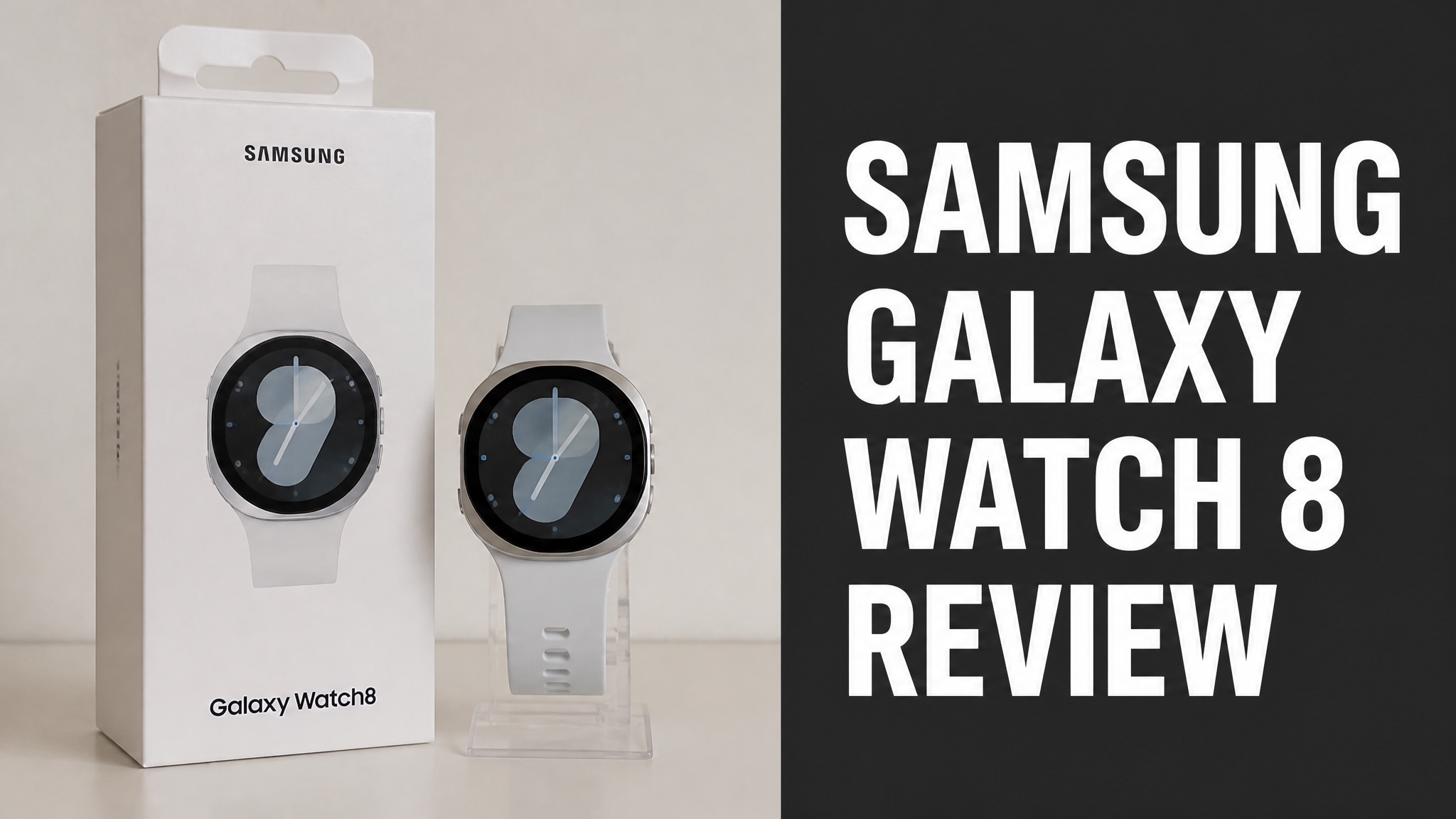
The Galaxy Watch 8 glucose monitor is a Samsung smartwatch that displays data from a paired continuous glucose monitor. Samsung launched the Watch8 series in July 2025. The watch has no glucose sensor of its own. Shoppers searching for wrist blood sugar readings need that context first.
The watch pairs with CGMs through Wear OS apps. Samsung adds sleep coaching, Running Coach, an Antioxidant Index and an AGEs Index. Reviewers praise the Classic model and criticize the price. The FDA has authorized no smartwatch to measure glucose alone. Pricing starts at $349 (USD) for the 40mm model. Samsung ties its new metrics to diet.
The Galaxy Watch 8 is a strong wellness watch and a handy CGM display. The watch is not a medical glucose tool. The sections below cover features, reviews, accuracy and cost. They also explain who must avoid relying on the watch. Readers can then decide with clear facts.
What Is the Galaxy Watch 8 Glucose Monitor?
The Galaxy Watch 8 glucose monitor is not a standalone blood sugar sensor. The watch is a Samsung smartwatch that displays data from a paired continuous glucose monitor. Samsung launched the Watch8 series in July 2025 with a BioActive Sensor and Gemini built in. Glucose measurement is entirely absent. Samsung’s own disclaimer rules out any clinical use.
Here’s the thing: the name is a search habit, not a product label. Samsung sells the Galaxy Watch8, Watch8 Classic and Watch Ultra as wellness devices. Samsung’s own notice says the output is not meant to diagnose or treat disease.
So what does the watch actually track? Plenty, just not blood sugar. The watch covers heart rhythm, sleep, stress, vascular load and body composition. Tom’s Guide spent ten days testing the standard and Classic models.
Key Facts:
- Launched July 2025 with One UI 8 Watch
- Runs Wear OS with Google Gemini built in
- Shows glucose readings only through compatible CGM apps
- Carries a Samsung disclaimer against clinical use
Does the Galaxy Watch 8 Measure Blood Glucose?
No. The Galaxy Watch 8 does not measure or estimate blood glucose on its own. Samsung has not launched a glucose sensor in any Galaxy Watch. TechRepublic confirms the watch only shows readings from a connected glucose system. The sensor data always comes from the CGM, never from the wrist, so a separate glucose system is required. Samsung has no launch date.
In fact, the FDA backs that line. The agency says it has not authorized any smartwatch or smart ring to measure or estimate blood glucose by itself. Buyers who expect a finger-prick-free reading from the wrist are in for a letdown.
How Does Galaxy Watch 8 Glucose Tracking Work?
Galaxy Watch 8 glucose tracking works as a relay between sensor and wrist. A CGM sensor on the body sends readings to a phone app, and the watch displays them. The CGM app, not the watch, decides which features appear. Alerts, trend arrows and graphs all depend on that app. The watch adds convenience, not measurement, and a glance replaces pulling out a phone.
The watch adds convenience, not measurement. A glance at the wrist replaces pulling out a phone. The wrist check helps during workouts, meals and sleep. The good news? Samsung Health can also place glucose data next to sleep and activity data.
Does the watch need a special model? Not really. A Wear OS watch from the Galaxy Watch4 generation or newer is usually the starting point, according to TechRepublic. Android is the safest phone pairing.
Setup Basics:
- A compatible CGM sensor worn on the body
- A CGM app installed on an Android phone
- A Wear OS Galaxy Watch paired to that phone
- The CGM watch app or tile added to the watch
Which CGMs Work With Galaxy Watch 8?
Dexcom, Gluroo and FreeStyle Libre all reach the Galaxy Watch 8 through Wear OS apps. No Samsung glucose feature is involved. Dexcom shows the reading, trend arrow and trend graph on Android and Wear OS. Gluroo lists support for the Galaxy Watch6, Watch7 and Watch Ultra. Support for each CGM varies by app, so check each app’s compatibility list first.
FreeStyle Libre 2 and Libre 3 users rely on third-party tools such as WatchGlucose. Its tile can show up to 12 hours of glucose history. Support for the Watch8 itself varies by app, so check each app’s compatibility list before buying.
What Health Features Does Galaxy Watch 8 Offer?
The Galaxy Watch 8 offers sleep coaching, heart monitoring, running guidance and two new metabolic indicators. Glucose sensing is not among them. Samsung lists Bedtime Guidance, Vascular Load, Running Coach, Antioxidant Index, High Stress Alert and AGEs Index as additions. Each one targets wellness, not diagnosis. Samsung Health ties them together.
Bedtime Guidance needs three consecutive nights of wear. The watch then suggests an ideal bedtime from circadian rhythm data. Running Coach starts with a 12 minute test run. The test rates fitness from 1 to 10 and builds a plan lasting 3 to 5 weeks.
The watch also supports on-wrist ECG and irregular rhythm alerts. Samsung says sleep tracking can flag moderate to severe signs of sleep apnoea. Medication reminders are built into Samsung Health.
Main Health Features:
- Bedtime Guidance and sleep coaching
- Vascular Load from pulse wave analysis
- Running Coach with a 12 minute baseline test
- ECG and irregular rhythm notifications
- Antioxidant Index and AGEs Index
What Is the AGEs Index?
The AGEs Index estimates advanced glycation end products linked to metabolic ageing. Samsung ties these products to processed or sugary foods. Samsung Health tracks the index as part of its wellbeing set. The metric relates to diet and sugar exposure, which is why shoppers often confuse it with glucose monitoring. The index remains only a wellness estimate.
To be clear, the AGEs Index is not blood sugar monitoring. TechRepublic makes the same point. The index shows Samsung looking beyond step counts toward longer-term signals of how the body responds over time. Does it track glucose? No, only diet-linked ageing markers.
What Is the Antioxidant Index?
The Antioxidant Index measures carotenoid levels through the thumb sensor in about five seconds. The result shows dietary antioxidant status. Samsung calls it the first Antioxidant Index feature in a smartwatch. Carotenoids come from fruits and vegetables, so the score reflects diet. Samsung advises weekly checks. Samsung calls it useful for healthy ageing.
The bad news? Tom’s Guide lists the tracker as a drawback because it needs calibrating. Samsung advises weekly checks. Logging diet changes helps track progress.
What Do Galaxy Watch 8 Reviews Say?
Reviews of the Galaxy Watch 8 praise sleep tracking, Gemini and the Classic design. They criticize higher prices and a proprietary strap system. Tom’s Guide calls the Classic the model most worth buying. No mainstream review credits the watch with measuring blood sugar. Reviewers rate a fitness smartwatch, not a medical device, and the verdicts reflect that.
Think of it this way: reviewers rate a fitness smartwatch, not a medical device. Their praise targets comfort, battery and sleep data. Their complaints target cost and design choices. Glucose does not appear as a headline feature in the verdict.
What Do Reviewers Praise?
Reviewers praise the slimmer design, the useful Gemini assistant and best-in-class sleep insights. Tom’s Guide also credits accurate fitness and heart rate tracking on the Galaxy Watch 8. The Classic earns extra praise for its returning rotating bezel, which keeps the screen free of fingerprints. Battery life is solid too, with the Classic lasting 40 hours.
Battery results split by size. The 40mm and 44mm models last about 30 hours per charge with the always-on display. The 46mm Classic lasted 40 hours or more in testing. Is that enough? For most users, yes.
Pros:
- Slimmer 8.6mm (0.34 inch) case on standard models
- Built-in Gemini AI assistant
- Rotating bezel on the Classic
- Strong sleep insights and Running Coach
What Are the Common Complaints?
Complaints center on the price increase, the proprietary strap system and wasted space around the screen. Tom’s Guide calls the new cushion case a poor fit for the standard Watch 8. Button customization is also limited, and the lower back button accepts only a single action. The Antioxidant Index also needs calibrating, and the 46mm Classic feels bulky.
The Classic draws its own gripe. At roughly 63.5 g (2.2 ounces), it feels bulky, especially in bed. Sleep tracking requires wearing the watch overnight, so weight matters. The Antioxidant Index also needs calibration.
Cons:
- Price increase across the lineup
- Proprietary watch strap system
- Limited button customization options
- Antioxidant Index needs calibrating
Galaxy Watch 8 vs Watch 8 Classic vs Watch Ultra: What Differs?
The three models share the same Exynos W1000 processor, 5ATM water resistance and IP68 rating. They differ in size, battery and price. The Ultra adds 10 ATM durability and a 590 mAh battery. None of the three includes a glucose sensor of any kind. Display, connectivity and software match, so the choice comes down to wrist size, battery and budget.
In fact, the specs table shows how close the family is. Display, connectivity and software match across models. The real choice comes down to wrist size, battery needs and budget. Which model wins? The Classic, for most buyers.
Specs Compared:
| Spec | Watch 8 | Watch 8 Classic | Watch Ultra |
|---|---|---|---|
| Starting price | $349 | $499 | $649 |
| Sizes | 40mm, 44mm | 46mm | 47mm |
| Battery | 325 or 435 mAh | 445 mAh | 590 mAh |
| Durability | 5ATM + IP68 | 5ATM + IP68 | 10 ATM + IP68 |
Which Galaxy Watch 8 Model Is Best for Health Tracking?
The Watch 8 Classic is the best pick for health tracking. Its longer battery life supports steady overnight sleep data. Tom’s Guide named the 46mm Classic its top pick for longevity. The 445 mAh battery explains the 40 hour results in testing, versus about 30 hours on standard models. Comfort matters at night. Smaller wrists may prefer the lighter 40mm model.
Smaller wrists are another story. The standard 40mm model weighs 30.0 g (1.1 ounces) and wears lighter. Sleep tracking is the same across models. So, choose by comfort first.
Are Smartwatch Glucose Monitors Accurate?
No. Smartwatch glucose monitors are not accurate enough for diabetes care. The FDA has not cleared any watch or ring to estimate glucose on its own. GoodRx cites a February 2024 FDA safety notice. The notice warns people living with diabetes not to use these devices. Results vary widely between devices, and none has met FDA clearance standards yet.
Why does the bar sit so high? FDA clearance for over-the-counter monitors has strict rules. Results vary a lot between devices. One study found a device called InCheck met accuracy requirements only about 18% of the time.
Not every result is bad. The GWave watch showed about 98% accuracy in early studies and 97% in a larger one. But those studies used standards different from the FDA’s, so results cannot be applied to everyone.
FDA Accuracy Thresholds:
- At least 95% of readings within 15% of a cleared monitor
- At least 99% of readings within 20% of a cleared monitor
- Both thresholds must be met for clearance
Is the Galaxy Watch 8 FDA Approved for Glucose?
No. The Galaxy Watch 8 has no FDA authorization for glucose measurement. The watch has no glucose sensor to authorize. Samsung’s own disclaimer says users must not take clinical action from device output without consulting a qualified healthcare professional. The FDA has authorized no smartwatch to measure glucose independently, and Samsung markets none.
Samsung’s research is ongoing. Dr. Hon Pak, who leads Samsung’s Digital Health Team, described a noninvasive optically-based continuous glucose monitor. He gave no launch date. Until then, an FDA-cleared CGM or glucometer remains the standard.
How Much Does the Galaxy Watch 8 Cost?
The Galaxy Watch 8 starts at $349 (USD) for the 40mm Bluetooth model. The 46mm Classic with LTE reaches $549 (USD). Tom’s Guide notes a $50 price increase over the Galaxy Watch 7. Samsung released the series on July 20, 2025, with earlier pre-orders. Prices rose across the lineup. Pricing lands near the Pixel Watch 3 and below the Apple Watch Series 10.
Samsung’s pricing lands near the Pixel Watch 3. The base model sits slightly below the Apple Watch Series 10 base model at $399 (USD). The Ultra keeps its $649 (USD) price with a new 64 GB Titanium Blue edition. Is that steep? Not by flagship standards.
US Pricing:
| Model | Connectivity | Price (USD) |
|---|---|---|
| Watch 8 40mm | Bluetooth | $349 |
| Watch 8 44mm | Bluetooth | $379 |
| Watch 8 Classic 46mm | Bluetooth | $499 |
| Watch 8 Classic 46mm | LTE | $549 |
Is the Galaxy Watch 8 Worth the Price?
Yes, the Galaxy Watch 8 is worth the price as a sleep, fitness and Gemini smartwatch. Skip it for glucose tracking. Tom’s Guide recommends the Classic over the standard model. Buyers who want blood sugar data pay for a feature the watch lacks. A CGM is a separate cost, and the watch only improves how readings appear on screen. Value depends on use.
Here’s the catch: a CGM is a separate cost. A watch only improves how readings appear. Anyone buying purely for glucose value gets more from the CGM and a cheaper Wear OS watch.
Should You Buy the Galaxy Watch 8 for Glucose Monitoring?
No, the Galaxy Watch 8 is a good smartwatch but a poor reason to skip a real glucose monitor. Buy it for sleep coaching, Running Coach and Gemini. Pair it with a CGM if wrist alerts help daily routines. The glucose sensor itself must come from an authorized device. Wrist alerts are a convenience only, never a measurement. Check readings against the CGM app.
Bottom line: the watch is a display, not a sensor. Is that still useful? For many CGM users, yes. A quick wrist check beats reaching for a phone during a workout or a meal.
Who Should Avoid Relying on the Galaxy Watch 8 for Glucose?
People with diabetes must not rely on the Galaxy Watch 8 for glucose decisions. The watch holds no glucose sensor. GoodRx advises FDA-cleared glucometers or CGMs instead. Examples include the Dexcom G7, Dexcom Stelo, FreeStyle Libre 3 and Eversense. The FDA evaluated each one for safety. Symptoms such as shaking or sweating call for a glucometer check.
Symptoms such as shaking or sweating call for a glucometer check. GoodRx says to confirm with a glucometer even when a CGM reads normal. Short answer: use the watch as a screen, never as the source.