
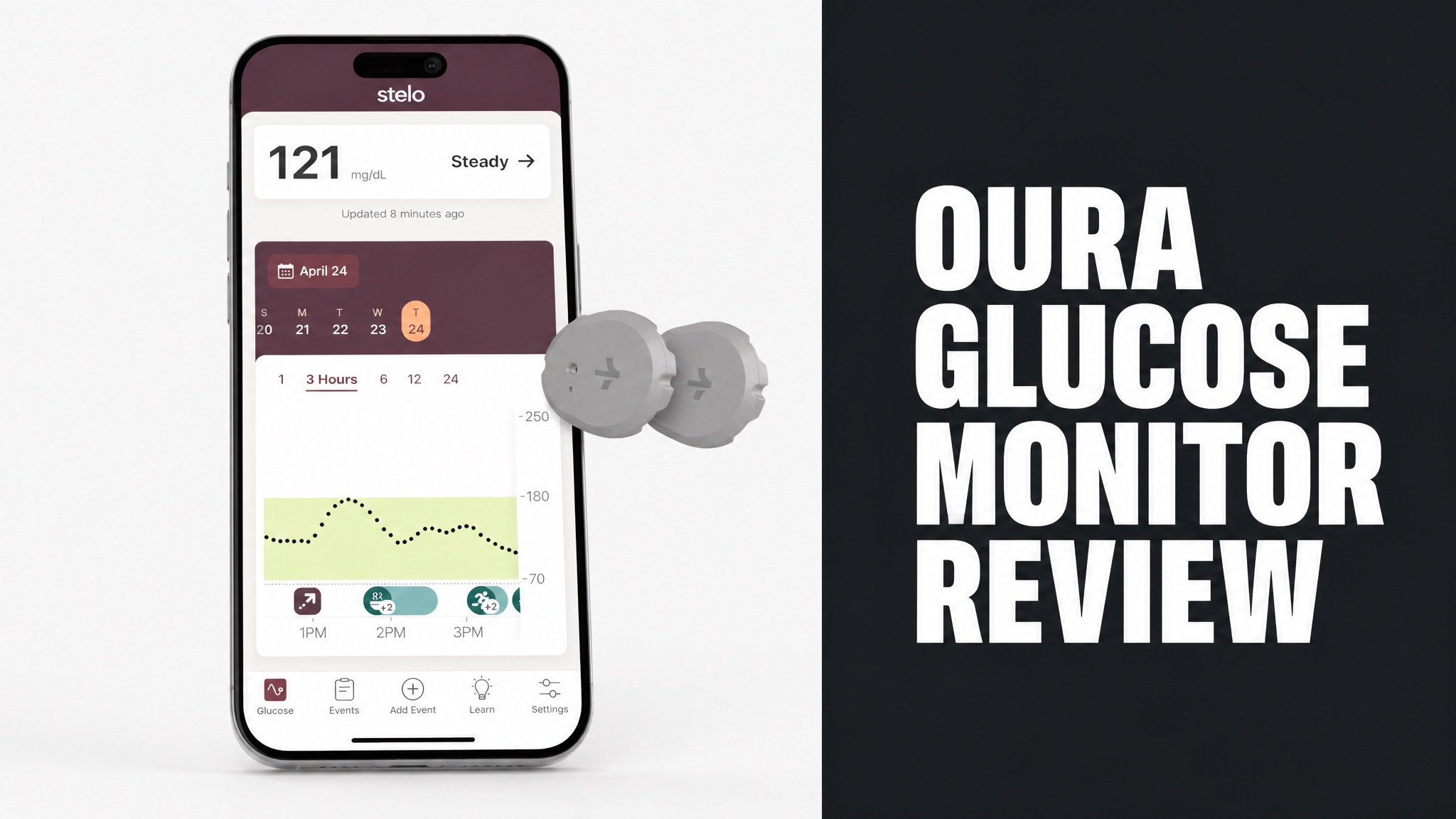
The Oura glucose monitor is a pairing of the Oura Ring and the Stelo by Dexcom biosensor. Stelo reads glucose from the upper arm, and the Oura App shows it beside sleep and activity. US members with a Gen3 or Ring 4 can use it. Stelo was the first FDA-cleared glucose biosensor sold without a prescription.
Oura doesn’t sell a sensor of its own, so the setup needs a Stelo account and an active membership. The sensor reads every 15 minutes and is 93% accurate against lab tests. The app adds a glucose graph, Time Above Range and weekly reports. Reviewers praise the insights but flag missing low alerts. Meals can be logged by photo with AI food recognition.
Two sensors cost $99, which covers up to 30 days of wear. Reviews suggest the setup works best as a short experiment. Magid wore it for a month, and CNET’s tester used it for two weeks. Read on to learn how it works and what users say. The review also covers who is a poor fit and whether it earns your money.
What Is the Oura Glucose Monitor?
The Oura glucose monitor is not a standalone device. The setup is the Stelo by Dexcom biosensor paired with an Oura Ring and the Oura App. Oura doesn’t make a glucose sensor of its own. The ring tracks sleep and activity, while Stelo reads glucose from the back of your upper arm. Stelo is the sensor, and Oura is the dashboard. Both pieces are required.
In plain English: the Stelo Glucose Biosensor is a wearable with a thin, flexible filament that sits beneath the skin. The sensor sends readings to the Stelo by Dexcom app. From there, the numbers flow into the Oura App.
Stelo is the first FDA-cleared glucose biosensor sold without a prescription in the U.S. Adults 18 and older who don’t use insulin can wear it. And Oura says its ring isn’t a medical device.
Which Oura Rings Work With Stelo?
Oura Ring Gen3 and Oura Ring 4 work with the Stelo integration, while Gen2 and older rings do not. Oura’s support team confirms the glucose feature needs a Gen3 or later ring with an active membership. The app runs on iOS and Android, but only for members in the United States. Both ring models connect to Stelo through the same Integrations menu in Oura.
Requirements:
- Oura Ring Gen3 or Oura Ring 4
- Active Oura Membership
- Stelo account and the Stelo by Dexcom app
- Country of residence set to the United States
- Oura App language set to English
Here’s the catch: the feature is US only and English only. Your country must read United States in the Oura App settings. If your phone uses another language, Oura suggests switching it to English.
How Does the Oura Glucose Monitor Work?
The sensor measures glucose in the fluid between your cells and sends the readings to your phone by Bluetooth. A filament coated with the enzyme glucose oxidase reacts with that fluid. The reaction creates a small electrical signal, and the Stelo app turns it into a glucose number. The app also stores every reading it collects. Bluetooth carries the data.
Stelo reads glucose every 15 minutes, and the Oura App pulls the data in through the integration. Does Oura send anything back to Stelo? No. Only glucose data moves across, and meals you log in Oura stay in Oura.
To be clear, the Stelo app needs to stay open in the background. Give it up to 15 minutes to populate in Oura. A new sensor also needs a 30-minute warm-up before any data appears.
How Do You Set Up Stelo With Oura?
Setup takes four steps: create a Stelo account, apply the sensor, open Glucose in Oura and connect the apps. The sensor goes on the back of the upper arm, in a spot you won’t bump or sleep on. CNET’s tester finished application in under 2 minutes and felt no pain. Oura advises a spot with some fat and few bumps. Protective patches help the sensor stay put.
Setup Steps:
- Download the Stelo by Dexcom app and create a Stelo account.
- Apply the biosensor to the back of your upper arm.
- Open the Oura App menu on the Today tab and tap Glucose.
- Tap Connect Stelo sensor and sign in with your Stelo email or phone number.
The good news? The two apps don’t need the same email. Use your Oura email in Oura and your Stelo email in Stelo. Each sensor lasts up to 15 days and can’t be reused.
How Accurate Is the Glucose Data?
Stelo is 93% accurate compared with a gold standard laboratory blood glucose test, according to Oura’s support page. Readings can drift slightly at the start or end of a sensor’s life. Variance is normal. Oura adds that direct comparisons with other systems may not be meaningful. Readings also arrive only every 15 minutes, slower than prescription sensors.
Why doesn’t Stelo match your finger-stick meter? Stelo measures interstitial fluid under the skin. A meter measures a drop of blood, so the two numbers often differ.
Durability matters too. In Dexcom’s own study, 77.9% of sensors lasted the full 15 days. So roughly 1 in 5 sensors may not.
What Features Does Oura Glucose Tracking Include?
Oura glucose tracking adds a glucose graph, meal-level Time Above Range, key metrics and weekly reports to the Oura App. Meals can be logged by photo with AI food recognition. The Oura Advisor then offers guidance. Together, these tools turn raw numbers into patterns, and everything sits beside your sleep, stress and activity data. Photos make logging quick.
The glucose graph shows how your levels move through the day. Ideally, the line looks like gentle rolling hills, not jagged cliffs. Sharp spikes followed by rapid drops, often from highly processed foods, can drain your energy.
Key metrics cover glucose variability, waking glucose and average glucose. Oura calls waking glucose a strong indicator of insulin sensitivity. Variability needs at least five hours of data per day for an accurate result.
Weekly Glucose Reports land on days 8 and 15 of a sensor’s wear period. They need at least three days of data. Oura still tests reports and key metrics with a limited group, so not everyone sees them yet.
What Is Time Above Range?
Time Above Range measures how long a logged meal keeps your glucose above the target range, using a two-hour window. Oura’s own blog puts the ceiling at 140 mg/dL (7.8 mmol/L). The thresholds are built for people without diabetes, and you can change the range in the app. Each meal gets its own result, which makes breakfast and lunch easy to compare.
Time Above Range Zones:
| Zone | Time Above Range | Meaning |
|---|---|---|
| Optimal | 0 to 60 minutes | Stable levels, no high peaks |
| Good | 60 to 90 minutes | Levels stay in the normal range |
| Fair | 90 minutes to 3 hours | Above range for some time |
| Elevated | 3 hours or longer | Above range longer than ideal |
Why does the metric matter? Single spikes are normal. Stress, sleep and movement all swing the numbers. Time Above Range gives a steadier long-term read than any one peak.
Does Oura Glucose Data Affect Your Scores?
No. Glucose data has no impact on your Oura scores, according to Oura’s support page. Your Sleep and Readiness scores keep working as before. The glucose graph simply sits alongside them as extra context for your day. Oura states this plainly in its Glucose Tracking guide, so the feature adds context only. Oura describes the data as extra context only.
So don’t expect a glucose reading to move your Readiness number. Think of it this way: the data is a lens, not a grade.
What Do Oura Glucose Monitor Reviews Say?
Reviews are mostly positive on convenience and mixed on long-term value for people without diabetes. CNET, ZDNET and Larry Magid all praised the painless application and the single-app view. diaTribe’s testers liked the ease of use but flagged gaps in alerts and data access. Their verdicts differ mainly on whether the cost makes sense after the first month.
Reviewers wore Stelo with Oura for two weeks to a month. Most came away with food and habit insights rather than medical findings. Remember, the ring itself isn’t a medical device.
What Do Users Like?
Reviewers like the painless application, the clear graph and the meal-level insights that show what moves their glucose. CNET’s tester saw a pressed juice push glucose above range for roughly 6 minutes. A smoothie with protein and fiber stayed fully in range. The tools also fit easily into an existing Oura routine, with no second dashboard to check.
The walk effect surprised testers too. A 15-minute walk after cake kept CNET’s glucose in range. Dietitian Renee Fitton explained that exercise helps cells soak up sugar from the blood.
ZDNET’s Nina Raemont found her focus sharper and her energy steadier on low-spike days. Her glucose stayed in the optimal zone for most of the test. In fact, Oura Meals made logging faster with AI food recognition.
What Are the Common Complaints?
Common complaints include no low-glucose alerts, limited long-term data and sensors that fall off or lose signal. diaTribe’s testers reported a sensor ripped off by a sweatshirt, phone battery drain and dropped connections. One tester noted the app shows nothing below 70 mg/dL (3.9 mmol/L). The app also feels too simple to some testers who want deeper data.
Top Complaints:
- No alerts for low blood sugar
- No data below 70 mg/dL
- Data unavailable after the sensor ends
- Phone battery drain and signal loss
- Sensors that detach early
Logging is another pain point. ZDNET’s reviewer admitted she sometimes forgot to log meals. Without logs, the app can’t tie a spike to a cause. Worse, one diaTribe tester said constant tracking caused instant anxiety.
Can the Oura Ring Work With Other Glucose Monitors?
No. The Oura integration supports only the Stelo biosensor, so other continuous glucose monitors will not sync. Oura’s blog names Dexcom G7 and G6 as unsupported. The support page says other Dexcom devices are out too, and no other brand is listed. Oura states that it integrates only with Stelo today, which ties the feature to a single Dexcom product.
GoodRx lists Dexcom G6 and FreeStyle Libre 3 as prescription alternatives to Stelo. Neither one feeds glucose into the Oura App. If you want the Oura view, Stelo is the only route.
Is Stelo Better Than a Blood Glucose Meter?
No. Stelo isn’t better, it’s different: it shows trends where a meter shows single moments. A meter reads a drop of blood at one point in time. Stelo reads interstitial fluid every 15 minutes and builds a picture across the day. Oura makes the same point: a meter and Stelo can show different numbers and both can be valid. Neither replaces medical advice.
Stelo vs Blood Glucose Meter:
| Feature | Stelo | Blood Glucose Meter |
|---|---|---|
| Measures | Interstitial fluid | Drop of blood |
| Frequency | Every 15 minutes | On demand |
| Wear time | Up to 15 days | Not worn |
| Finger pricks | None | Needed for each test |
Oura expects the numbers to differ. Don’t panic when they disagree. Both readings can be right, because they sample different fluids at slightly different moments.
Is the Oura Glucose Monitor Safe?
Yes. Stelo is FDA-cleared for adults 18 and older who don’t use insulin, and Oura’s glucose feature adds no new hardware. The sensor is designed to be worn continuously, day and night, for up to 15 days. Stelo is waterproof to 8 feet (2.4 meters) for up to 24 hours. Walk-through metal detectors are fine too. The ring itself is not a medical device.
Application uses a small needle to place the filament under the skin. Most testers felt nothing. CNET’s reviewer, who fears needles, felt no pain. The applicator’s click was loud, though.
Bottom line: Oura tells members to consult a doctor before changing medication, nutrition or workouts based on the data. The readouts are for wellness, not diagnosis.
Who Should Avoid the Oura Glucose Monitor?
People who use insulin fall outside Stelo’s intended group, which is adults 18 and older who do not use insulin. Members outside the United States can’t use the feature either. Owners of a Gen2 or older ring are also left out. Oura reminds members that the app thresholds fit people without diabetes, so anyone managing diabetes needs medical guidance.
Not a Good Fit For:
- People who use insulin
- Anyone under 18
- Members outside the United States
- Owners of a Gen2 or older ring
- People who want low-glucose alerts
Worth knowing: diaTribe’s Matthew Garza doubts the long-term value for people without diabetes. His reasoning is simple. A healthy pancreas already manages glucose well, so short-term use gives the most useful pattern data.
How Much Does the Oura Glucose Monitor Cost?
Two Stelo sensors cost $99 (USD) when bought directly from Oura, and each sensor lasts up to 15 days. Two sensors cover up to 30 days of wear. Each Oura order includes protective patches. The ring is a separate purchase, and ZDNET lists Oura Ring from $350 (USD). Stelo can also be bundled with a ring, and the protective patches come with each Oura order.
Stelo Price Options:
| Option | Price (USD) | Details |
|---|---|---|
| Oura store, two sensors | $99 | Up to 15 days each, patches included |
| Amazon, two sensors | $90.93 | Price cited by Larry Magid |
| Walmart, two sensors | $99 | Listing shown by ZDNET |
| Stelo subscription | $84 per month | Three-month plan |
Both Oura Ring and Stelo qualify for FSA and HSA funds, per Woman’s World. Stelo can be bundled with or without a ring. Prices shift, so check current listings before you order.
Is the Oura Glucose Monitor Worth the Price?
Yes. The Oura glucose monitor is worth the price as a short experiment, not as a permanent habit. Magid notes that some people wear sensors for two weeks, then stop after learning their patterns. The approach saves money and cuts the anxiety that can come with constant tracking. Reviewers treated it as a focused trial, then took a break to save money.
Does one month reveal your patterns? Magid wore the setup for a month and CNET’s tester for two weeks. Both reported lessons to act on.
Where Can You Buy the Oura Glucose Monitor?
Stelo sells directly at ouraring.com, either on its own or bundled with an Oura Ring. Other retailers carry it too. Amazon and Walmart list two-sensor packs, according to Magid and ZDNET. Availability is limited to members in the United States. Oura’s store also sells bundles with a ring, which suits first-time buyers who want the whole setup in one order.
Amazon runs about $90.93 for two sensors, while Walmart lists $99. Compare before you click. Buying at Oura keeps the protective patches in the box.
Should You Try the Oura Glucose Monitor?
Yes. The Oura glucose monitor suits curious US adults who want to see how food, sleep and movement shape glucose. Skip it if you want diagnosis, low-glucose alerts or permanent monitoring. The setup works best as a short, focused experiment. The pairing works best for people who log meals. The graph then links each spike to a specific food or habit.
Here’s the kicker: the biggest wins in reviews were simple habits. Pair carbs with protein, fiber or fat. Walk 10 to 15 minutes after eating. Eat higher-carb foods earlier in the day.
Who Benefits Most From Oura Glucose Tracking?
Health-curious adults without insulin needs benefit most, especially people who already wear an Oura Ring. Dexcom’s Jake Leach calls this group the glucose-curious. They want to connect food, sleep and activity to their energy. Sleep, stress and activity data from the ring add the context around each reading and each meal. The mix gives readings meaning.
Ideal Candidates:
- Oura Gen3 or Ring 4 owners who log meals
- Adults who want to test breakfast and snack habits
- People with prediabetes or type 2 who don’t use insulin
- Anyone planning a short two-sensor trial
To be clear, the data guides habits. The tool doesn’t replace a doctor’s advice. Magid points out that a single glucose value is only a snapshot, while an A1C test averages about 90 days.