
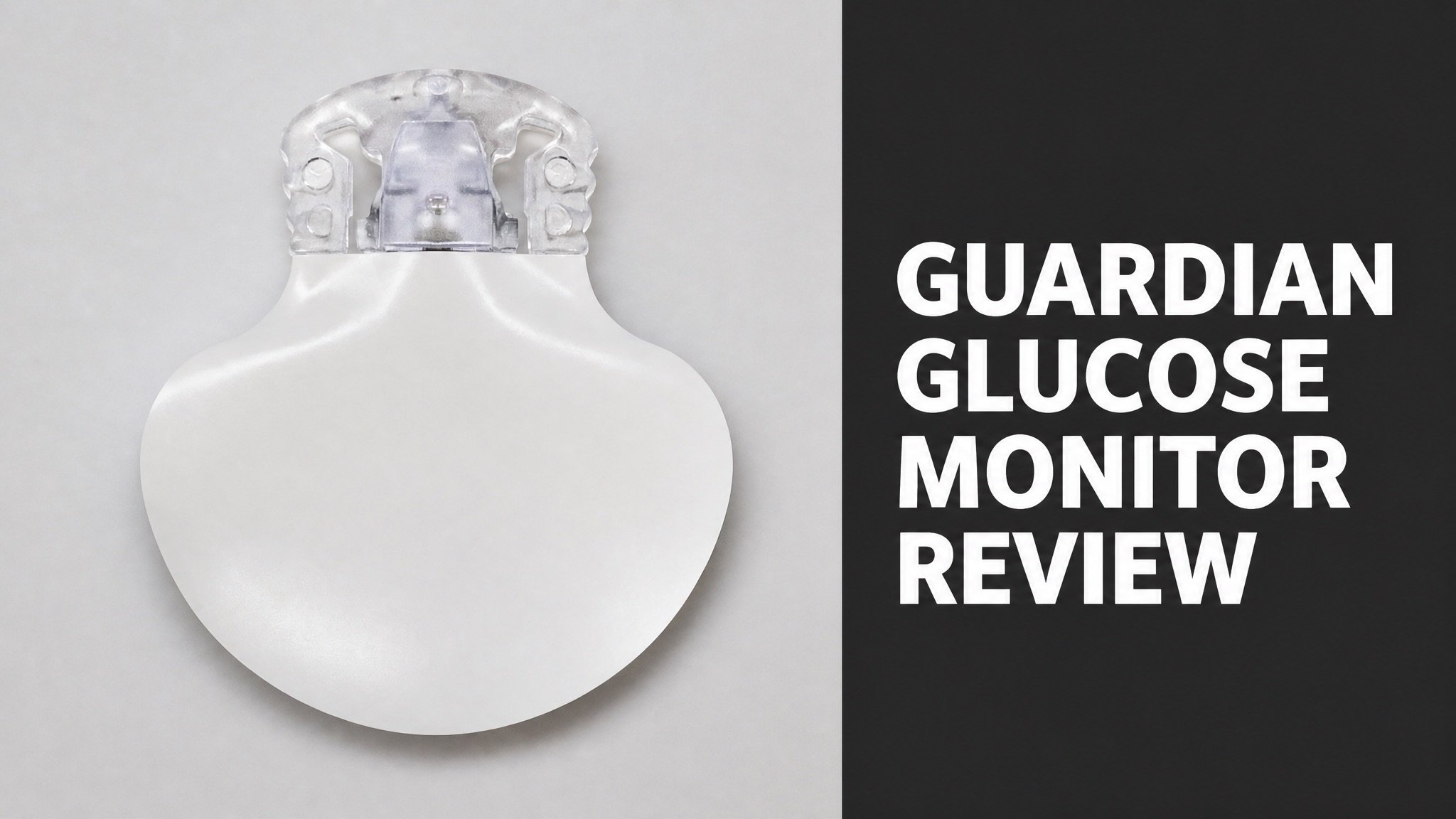
The Guardian glucose monitor is Medtronic’s continuous glucose monitor for people with diabetes. It reads glucose under the skin every 5 minutes and sends the numbers to a phone or insulin pump. Medtronic sells several versions, from Guardian Connect to Guardian 4, and each one works a little differently.
The system works through a sensor, a transmitter and a display. Insertion takes minutes, and the warm-up lasts 2 hours. Predictive alerts and caregiver sharing earn praise. False alarms and extra tape draw complaints. Guardian 4 drops routine calibration, while Dexcom G7 lasts longer. Costs run $0 to $600 (USD) monthly. Insurance drives that spread.
Accuracy, safety and price all depend on your model and your insurance. This review covers each point and ends with a clear and honest verdict. Read on to learn who should choose Guardian and who should look at rival sensors. Each section answers a question buyers ask before they order.
What Is the Guardian Glucose Monitor?
The Guardian glucose monitor is Medtronic’s continuous glucose monitor (CGM), built from a sensor, a transmitter and a display. The sensor reads glucose under the skin every 5 minutes. The transmitter sends each reading to a phone or an insulin pump. Users see their numbers around the clock. Doctors prescribe it to people who need tight control of lows.
To be clear, ‘Guardian’ is a product family, not one device. Guardian Connect works alone with a phone app. Guardian 4 pairs with the MiniMed 780G pump. Both come from Medtronic, the maker behind the MiniMed brand.
What Are the Guardian Sensor Versions?
Medtronic sells several Guardian generations that differ in sensor life, calibration and pairing. Guardian RT came first and used a handheld monitor. Guardian Connect with Sensor 3 followed with a phone app. Guardian 4 is the newest and drops routine calibration. Each step added convenience, so the newest model asks the least of its wearer. Guardian 4 leads.
Guardian Versions:
| Version | Display | Sensor Wear |
|---|---|---|
| Guardian RT | Handheld monitor | Up to 3 days |
| Guardian Connect (Sensor 3) | Phone app | 7 days |
| Guardian 4 | MiniMed 780G pump | Up to 7 days |
Which one matters most today? Guardian 4. It is the sensor Medtronic ties to the 780G pump, so most new users start there.
How Does the Guardian Glucose Monitor Work?
The Guardian glucose monitor measures glucose in the fluid between cells through a thin filament placed under the skin. The sensor passes the data to a clip-on transmitter. The transmitter then sends it by Bluetooth to a phone or pump. Readings update every 5 minutes. Bluetooth carries each reading wirelessly. Users never stab a finger for each number.
Here’s the thing: the system reads fluid, not blood. Glucose takes several minutes to move from blood into that fluid. This explains the 5 to 10 minute lag Endor Health describes for all CGM brands.
Think of it this way: the transmitter is built for showers and swims. Guardian 4 carries an IPX8 rating, which covers 2.4 meters (7.9 feet) for 30 minutes. The Guardian Connect transmitter must stay within 20 feet (6 meters) of the phone to keep data flowing.
How Do You Insert the Guardian Sensor?
Insertion takes a few minutes with a push-button applicator and an alcohol-cleaned site. Wash your hands first. Clean the skin and let it dry. Press the applicator, then tape the sensor down. Do not use IV prep on the skin. The process is simple, and many wearers place the sensor alone after a first try. Many wearers place the sensor alone after a first try.
Insertion Steps:
- Wash your hands with soap and water.
- Choose a site with enough fat, away from belts and scars.
- Clean the site with an alcohol swab and let it dry.
- Press the applicator to place the sensor under the skin.
- Clip the transmitter onto the sensor and tape both down.
- Start the sensor in the app or on the pump.
For example, site rules differ by model. Guardian Connect needs a spot 2 inches (5 centimeters) from the navel. It also needs 1 inch (2.5 centimeters) of space from a pump infusion site. Guardian 4 is indicated for the back of the upper arm only.
And the warm-up? It lasts 2 hours after insertion. You get no readings until it ends, so many users insert at night.
What Features Does the Guardian Glucose Monitor Have?
The Guardian glucose monitor delivers real-time readings, trend arrows, predictive alerts and data sharing in one system. Trend arrows show how fast glucose moves. High and low alerts are adjustable. Reports upload to the CareLink platform for review with a care team. Together these tools give wearers a live picture of glucose, not a single snapshot.
Key Features:
- Glucose reading every 5 minutes
- Trend arrows with rate of change
- Predictive low and high alerts
- Data sharing with up to 5 care partners
- CareLink reports for doctors
In fact, predictive alerts stand out. Blue Circle Diabetes Foundation reports warnings 10 to 60 minutes before glucose crosses a set limit. That gives users time to act.
Does the Guardian Glucose Monitor Need Calibration?
Yes, on older models. Guardian Sensor 3 needs a fingerstick calibration roughly every 12 hours to keep reading. Blue Circle notes that data stops recording if a calibration is missed. DiabetesWise lists 2 daily fingersticks for Guardian Connect. Skipping a calibration stops data, which frustrates wearers who miss the window. Set phone reminders each day.
The good news? Guardian 4 changes this. Endor Health states it is factory calibrated and needs no routine fingersticks. The pump may still ask for a blood glucose check in certain situations.
What Do Guardian Glucose Monitor Reviews Say?
Guardian glucose monitor reviews split into praise for alerts and sharing, and complaints about sensor reliability and upkeep. Reviewers like the predictive alarms and the discreet phone display. Many also report false alarms, tape problems and sensors that fail early. Experiences vary by model, so read each review with the sensor generation in mind.
Review Summary:
| Theme | What Reviewers Report |
|---|---|
| Praise | Predictive alerts and caregiver sharing |
| Praise | Discreet readings on a phone |
| Complaint | False alarms and long warm-up |
| Complaint | Extra tape needed and early sensor failure |
What Do Users Praise About the Guardian Glucose Monitor?
Users praise the predictive alerts, the clean app and the live sharing with caregivers. Nupur Lalvani, a type 1 diabetes advocate, calls the alerts her favorite part. She says they help users stay ahead of highs and lows. Many reviewers say these tools help them stay ahead of problems before they grow. Time in range often improves for proactive users.
What’s more, sharing is another win. Her review says up to 5 caregivers can see data live and get SMS alerts. For parents, that matters. Why? They can sleep while the system watches.
What Do Users Complain About?
Users complain most about false alarms, short sensor life and heavy tape needs. The same review calls false alarms annoying and notes the 2 hour warm-up. DiabetesWise says Medtronic sensors need more tape than rivals. Wearers say these daily annoyances add up over a month of use. Some wearers take breaks from the sensor. Tape costs add to the monthly bill.
The bad news? Complaints are loud online. Threads in Reddit’s diabetes communities carry titles that call Guardian 4 sensors disappointing. These are individual reports, not trial data, so treat them as signals.
Phone support is another gap. Does the app run on every phone? Not at launch, since few Android models worked. Medtronic announced Android compatibility in 2020.
Guardian vs Dexcom G7: Which Is Better?
Dexcom G7 wins on wear time and warm-up, while Guardian 4 wins on tight pump integration. The G7 lasts up to 10 days with a 30-minute warm-up. Guardian 4 lasts up to 7 days with a 2-hour warm-up. Choose by your pump, not by specs alone. Endor Health notes the G7 has an all-in-one design with no separate transmitter. Many wearers value that simplicity.
Guardian 4 vs Dexcom G7:
| Feature | Guardian 4 | Dexcom G7 |
|---|---|---|
| Wear time | Up to 7 days | Up to 10 days |
| Warm-up | 2 hours | 30 minutes |
| Design | Sensor plus transmitter | All-in-one sensor |
| Pump pairing (Canada) | MiniMed 780G | Multiple pump brands |
Endor Health adds that Dexcom also sells a G7 15 Day sensor in some markets. Is the warm-up shorter? No, it runs 60 minutes.
How Does Guardian 4 Compare to Guardian Sensor 3?
Guardian 4 improves on Sensor 3 mainly by removing the 12-hour calibration routine. Both offer seven-day wear and a similar physical design. Endor Health calls the calibration change a top upgrade for people moving from the 770G to the 780G. The two sensors look alike, so the daily routine is the real difference. The daily routine is the real difference.
Is the Guardian Glucose Monitor Accurate?
Yes. The Guardian glucose monitor shows solid accuracy for a CGM, with a MARD of 9.6% listed for Guardian Connect. MARD stands for mean absolute relative difference. A lower number means a closer match to lab values. Researchers led by Robert Slover found good accuracy in children and teens in a 2018 study. Independent studies matter for a firm answer.
Still, no CGM matches a blood test perfectly. Does that make it unreliable? No. It makes it a trend tool that works best alongside a meter.
Does Sensor Lag Affect Guardian Readings?
Yes. Lag creates a 5 to 10 minute gap between blood glucose changes and sensor readings. Endor Health says the gap is small when glucose is stable. It grows during fast rises after meals or during exercise. The gap is small when glucose stays flat, and wider after meals or workouts. The gap is small when glucose stays flat. It widens after meals or workouts.
In plain English: a fingerstick and the sensor can disagree during rapid change. Is that a flaw? No, it is normal for every CGM brand. Check with a meter when symptoms do not match the number.
Is the Guardian Glucose Monitor Safe?
Yes. The Guardian glucose monitor is a prescription device, and Health Canada licensed Guardian 4 for the 780G in May 2023. Its alerts lower the risk of missed lows. Pairing with a pump adds automatic insulin cuts when a low is predicted. Wearers still follow their doctor’s guidance on when to confirm a reading. Tape checks keep each sensor secure.
Does CGM really lower risk? Short answer: modestly. A 2020 trial led by Richard Pratley found CGM modestly cut hypoglycemia in adults over 60 with type 1 diabetes. That supports the safety case.
When to Confirm With a Meter:
- Readings do not match how you feel
- You suspect sensor compression after lying on it
- You face an important treatment decision
- You are ill or dehydrated
Who Should Avoid the Guardian Glucose Monitor?
People outside the labeled age and insulin range should skip Guardian 4 unless a doctor approves. The Canada listing covers ages 7 to 80 with type 1 diabetes. It also requires at least 8 units of daily insulin. It is a prescription product. Those users need a doctor to decide whether the system fits their needs. A doctor decides whether the system fits.
Skin matters too. Those with adhesive allergies may struggle with the extra tape. Talk to a healthcare provider before starting.
How Much Does the Guardian Glucose Monitor Cost?
The Guardian glucose monitor costs between $0 and $600 (USD) per month, based on insurance coverage. DiabetesWise gives that range for Guardian Connect. Coverage depends on how a plan classifies CGMs. Many pump plans cover sensors as part of therapy. Out-of-pocket buyers should check current prices directly with Medtronic. Others cover the full monthly bill.
Reported Cost Points:
| Item | Reported Price |
|---|---|
| Guardian Connect, monthly range | $0 to $600 (USD) |
| Guardian 4 transmitter, discount program | $180 (USD) |
| Guardian 4 sensors, 30-day supply, discount program | $60 (USD) |
The discount figures come from Skin Grip’s 2024 guide to Medtronic’s program for people without coverage. Prices change. Should you trust old numbers? No, so confirm with Medtronic.
Is the Guardian Glucose Monitor Worth the Price?
Yes, for pump users with coverage. The system costs about the same as heavy fingerstick testing for people who pay out of pocket. Endor Health makes this comparison for Canadian buyers. The value drops if sensors fail early and you pay for replacements. Insurance coverage is the main swing factor in the final bill each month. Compare quotes before ordering.
Where Can You Buy the Guardian Glucose Monitor?
You buy the Guardian glucose monitor through Medtronic or your insurance’s preferred pharmacy after a doctor writes a prescription. Skin Grip describes the steps: get the prescription, verify coverage, then order. Details vary by location, provider and plan. Ordering therefore starts in a clinic, not in an online shopping cart. Shipping follows approval.
The bottom line: you cannot grab it off a shelf. Talk to your care team and a Medtronic representative first.
Do You Need a Prescription for the Guardian Glucose Monitor?
Yes. A prescription is required before Medtronic or a pharmacy will ship sensors and transmitters. This sets Guardian apart from over-the-counter options like Dexcom Stelo. Your doctor also helps set alert limits and review CareLink reports. Medtronic and pharmacies check the order against that prescription first. Insurance review follows before shipping.
Is the Guardian Glucose Monitor Worth It?
Yes, for the right user. The Guardian glucose monitor is worth it for MiniMed 780G pump users, where Guardian 4 drives automatic insulin delivery. Standalone users face more friction from calibration, tape and phone limits. Weigh these tradeoffs with your doctor. The system rewards wearers who accept its daily routines. In return they get strong alerts.
Verdict Summary:
- Best for MiniMed 780G pump users
- Strong predictive alerts and caregiver sharing
- Weaker on wear time and warm-up than Dexcom G7
- Reliability complaints appear in user reports
Who Is the Guardian Glucose Monitor Best For?
It suits people with type 1 diabetes who already use or plan to use the MiniMed 780G system. Parents who want live data sharing benefit too. Users who dislike tape, warm-ups or fingersticks may prefer a rival sensor. Doctors confirm that fit before writing a prescription. Parents benefit too. They match the sensor to the pump, age group and insulin range.
So what’s the final call? Choose Guardian 4 if your pump demands it. Otherwise compare Dexcom and Libre before you commit.