
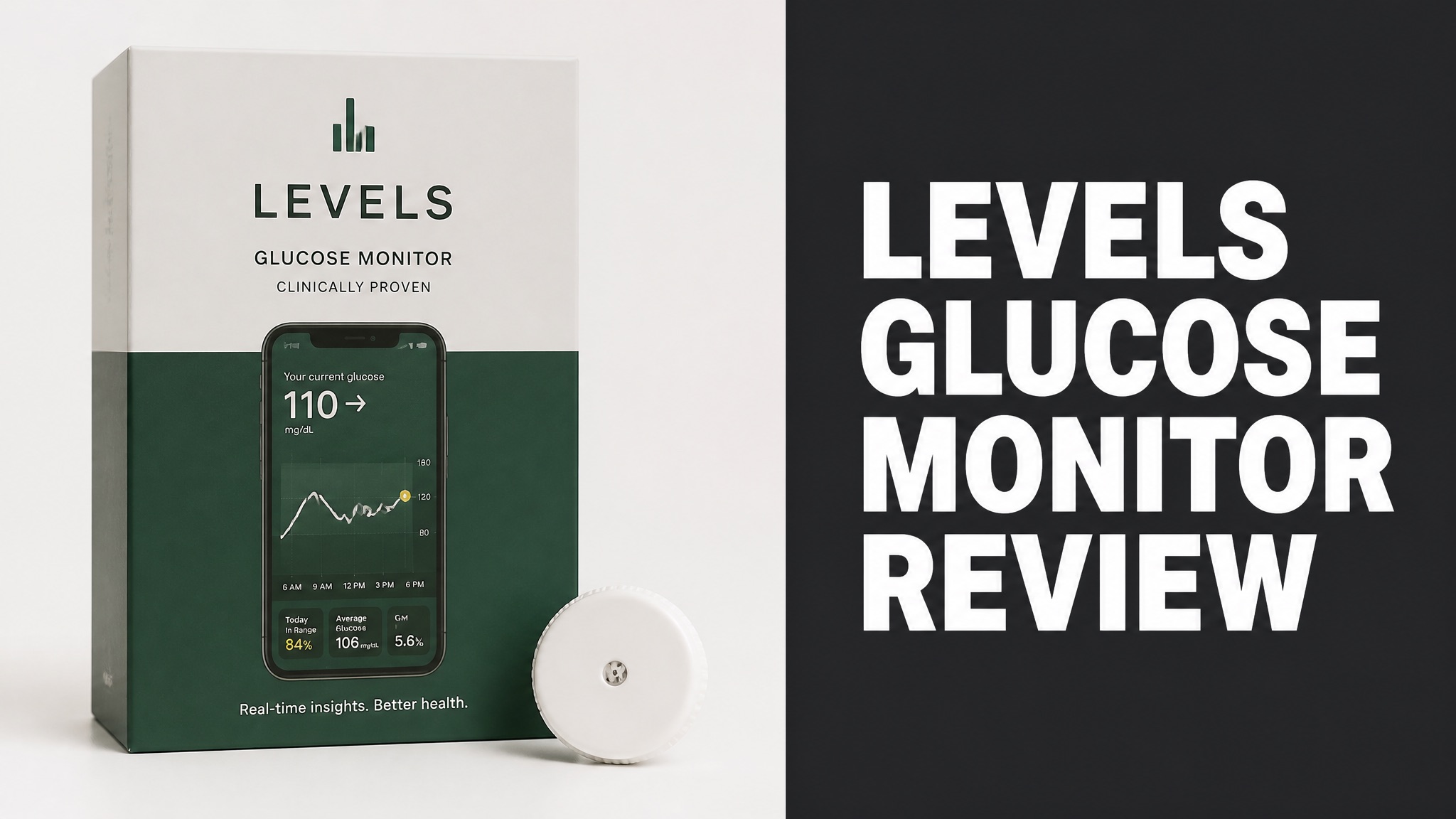
The Levels glucose monitor is a metabolic health system that pairs a Dexcom sensor with the Levels app. Members wear the sensor on the upper arm. The app then scores each meal from 1 to 10 based on the glucose response. Levels sells the software, not the hardware. It targets curious wellness users.
Levels works with the Stelo and G7 sensors. Stelo costs $100 per month and the G7 costs $200. Memberships start at $80 billed annually. Reviewers praise the meal scores and support. They dislike the sensor wear, the cost, and the delayed spike scoring. Veri and the free Stelo app are the main rivals in this space.
The data is useful, but the hardware limits long-term use. Reviewers treat Levels as a one- or two-month check-up. The sections below cover safety, who should avoid it, where to buy it, and who gets the most value from the system overall.
What Is the Levels Glucose Monitor?
The Levels glucose monitor is a metabolic health system that pairs a wearable glucose sensor with the Levels app. The app turns raw sensor readings into meal scores and stability trends. Members then see how food, sleep, and exercise change their blood sugar. Levels frames the tool as wellness support only.
Levels says more than 100,000 people use it. The company also states that its platform is HIPAA and SOC 2 compliant. Why does that matter? Health data is personal, so privacy is a core part of the pitch.
The app logs meals by text, photo, or barcode. The platform also tracks macros, sleep, movement, and long-term trends. Higher plans add lab testing and clinician review.
Main App Features:
- Meal logging by text, photo, or barcode
- Macro breakdowns and food quality feedback
- Habit tracking across sleep, movement, and routines
- Long-term trends and stability scores
- Optional lab panels and clinician review
Does Levels Make Its Own Sensor?
No. Levels does not make any glucose hardware, because the company is purely a software business. The sensors come from Dexcom, a major maker of continuous glucose monitors. Levels runs the raw sensor data through its own algorithm. The output is meal scores, stability scores, and trend explanations. The app handles the analysis only.
The setup means members run two apps. The Dexcom or Stelo app collects the sensor data and exports it to Levels. One long-term reviewer called the handoff clunky.
Levels sells the analysis, not the hardware. Is that a problem? Not really, because Dexcom builds the sensor and Levels builds the scoring. The catch is extra setup before the first reading.
How Does the Levels Glucose Monitor Work?
The Levels system reads glucose from a wearable sensor and scores meals inside the app. A thin filament under the skin measures glucose in the fluid between cells. The sensor sends a reading at least every 5 minutes to a phone. Levels then turns that stream into daily feedback. Readings arrive every few minutes, all day long. Sensors last 7 to 14 days.
The filament carries an enzyme called glucose oxidase. The enzyme converts glucose into hydrogen peroxide, which generates a small electrical current. An algorithm then turns that current into a glucose number. Most sensors last 7 to 14 days.
Here’s the catch: the sensor reads fluid under the skin, not blood. Is that a problem? One reviewer saw readings off by up to 20% in the first 24 hours. After a day, the data stabilizes.
How a Typical Month Works:
- Apply the sensor to the back of the upper arm.
- Connect the sensor to the Dexcom or Stelo app.
- Log each meal in Levels by text, photo, or barcode.
- Review meal scores and stability trends in the Levels app.
- Remove the sensor when it expires and review the results.
How Does the Levels App Score Meals?
Levels scores each meal from 1 to 10 based on how your glucose responds after eating. The app also tracks a stability score, and the goal is to stay above 85. A spike counts when glucose rises at least 30 mg/dL (1.7 mmol/L) and passes 110 mg/dL (6.1 mmol/L). Exercise spikes are excluded. Higher scores mean a gentler glucose rise after that meal.
Levels judges each meal inside a two-hour window. Breakfast and lunch fit that window well. Dinner is different. Why? Bigger meals can spike glucose later. One reviewer saw spikes of 46 and 38 points three hours after meals that scored 6 and 9.
To be clear, Levels does flag late spikes with a ‘Glucose Spike Detected’ alert. But the alert doesn’t link back to the meal. So the original score stays unchanged.
Which Sensors Does the Levels Glucose Monitor Use?
Levels works with two Dexcom sensors, the over-the-counter Stelo and the medical-grade G7. Members pick one at checkout. The Stelo needs no prescription and suits general wellness. The G7 suits members who want medical-grade hardware and its built-in emergency alerts, which were designed for diabetes care. Both Dexcom options send data to the same Levels app.
Dexcom launched the Stelo in August 2024. Diatribe calls it the first over-the-counter CGM in the US. Who can use it? Anyone aged 18 or older, with or without diabetes.
An earlier blog review tested Levels on the FreeStyle Libre sensor instead. Hardware support has shifted over time. So check which sensors Levels offers before you sign up.
Stelo vs Dexcom G7 on Levels:
| Feature | Stelo | Dexcom G7 |
|---|---|---|
| Wear time | 15 days | 10 days |
| Cost through Levels | $100 per month | $200 per month |
| Emergency alerts | No | Yes |
| Designed for | General wellness | Diabetes care |
Is Dexcom Stelo Better Than the G7 for Levels?
Yes. For most healthy members, the Stelo is the better pick because it costs half as much and lasts longer. The Power Moves reviewer used it in the latest test. The reviewer found the data just as accurate for wellness goals. Cost was $100 per month versus $200 for the G7. Power Moves tested both sensors across two rounds of testing.
The G7 blares emergency alerts when a member rolls onto the sensor at night. Stelo doesn’t use those alarms. And here is the best part: the alerts were built for diabetics, not for wellness users.
People who use insulin are the exception. Stelo lacks low blood sugar alerts, a gap diaTribe lists as a con. Those users should talk to a clinician before choosing any sensor.
What Are the Benefits of the Levels Glucose Monitor?
The main benefit is personal feedback on how specific foods change your glucose. Levels says generic nutrition advice ignores individual bodies. The app pairs each member’s readings with one of the largest proprietary metabolic datasets of its kind. The pairing personalizes the guidance. Reviewers say the insight is the point, not the sensor.
Habit feedback is another draw. Daily goals include 12 hours of stable glucose, one stable meal, and one healthy habit. Is three goals too many? Reviewers say no, because the app never felt like nagging.
Does exercise hurt the score? No. Workout spikes don’t count against stability. The member must log them or import them from a device like an Apple Watch.
Main Benefits:
- Meal-level glucose feedback
- Searchable history of meal responses
- Daily goals for stability and habits
- Exercise spikes excluded when logged
- Optional lab testing and clinician review
Does Levels Show Which Foods Spike Your Glucose?
Yes. Levels links each logged meal to a glucose score, so spikes point back to specific foods. Members can then search their history. They compare how the same meal performed on different days. Reviewers call the meal scoring the app’s most useful feature by a wide margin. Reviewers call that comparison the moment the data becomes truly interesting.
One tester saw pizza push glucose to 180 mg/dL (10 mmol/L) on a Tuesday. The same pizza peaked at only 140 mg/dL (7.8 mmol/L) after a walk. Now watch this: movement changed the result.
Does that prove walking beats food choice? Not at all. But the comparison shows how the app reveals personal patterns that generic advice misses.
What Do Levels Glucose Monitor Reviews Say?
Reviews rate Levels as a useful short-term tool rather than a year-round lifestyle. Power Moves scored it 7.0 out of 10 after two rounds of testing, two years apart. The reviewer bought it in November 2023, paid $1,000 (USD) in total, and no longer owns it. Power Moves would not recommend keeping it all year. Sensor cost and wear are the reasons.
Alex Fergus compared Levels with Veri on the FreeStyle Libre. He preferred Levels for its refined service and extra features. In fact, the app’s challenges kept him engaged.
The Power Moves reviewer sums it up well: treat Levels like a periodic check-up. So what does that mean for buyers? Test for a month or two, learn the patterns, then stop.
Review Highlights:
- Rated 7.0 out of 10 by Power Moves
- Preferred over Veri by Alex Fergus
- Praised for meal scores and trend analysis
- Criticized for sensor wear and pricing changes
What Do Users Like?
Users praise the meal scores, the user-friendly interface, and the responsive customer service. Alex Fergus also liked the searchable catalog of meal responses and the better-than-expected reporting. He added praise for the active Facebook group. Fergus rated the support team fantastic.
The challenges earned special praise. They push members to test how foods and activities change their glucose. Fergus credited the gamification for keeping him engaged during the trial.
The AI plate photo feature also helps. The tool identifies foods accurately. But the portion sizes it guesses run about half the real amount. Trust the food identification, not the calorie counts.
What Do Users Complain About?
Users complain most about sensor wear, ongoing cost, and delayed spike scoring. The sensor sits on the upper arm, and reviewers say they always feel it. Bumps during workouts and awkward sleep positions can also distort the data. Pressure on the sensor gives bad readings. Sensors add $100 to $200 per month on top of the app fee, per Power Moves.
Removal stings. One reviewer compared it to ripping off the world’s stickiest bandage and warned that a little blood is normal. Another pulled a sensor clean out while taking off a shirt.
Setup drew complaints as well. Alex Fergus found the install process complicated during the beta. Forum posts add that the tight glucose targets feel stressful for some healthy users.
How Does Levels Compare to Veri and Stelo?
Levels offers deeper analysis than the free Stelo app and a more refined experience than Veri. Alex Fergus tested Levels and Veri on the same FreeStyle Libre sensor. He gave Levels the nod for customer service, features, and engagement. He credited Levels for its more refined setup, reporting, and challenges.
The free Stelo app still feels built for diabetics. Its glucose scale runs from 70 to 250 mg/dL (3.9 to 13.9 mmol/L). So a healthy reading of 80 to 120 mg/dL sits crammed at the bottom of the graph.
Does Veri have strengths? Yes. The app includes sleep tracking and a satisfying tactile scan button. But the app forces default glucose ranges, and users can’t customize them.
Levels vs Veri vs Stelo App:
| Feature | Levels | Veri | Stelo App |
|---|---|---|---|
| Standout feature | Meal scores and stability trends | Built-in sleep tracking | Free glucose tracking |
| Main drawback | Paid subscription | Fixed glucose ranges | No meal analysis |
| Sensor support | Dexcom Stelo and G7 | FreeStyle Libre in the tested review | Dexcom Stelo |
Is Levels Worth It Over the Free Stelo App?
Yes. For anyone who wants analysis, Levels adds meal scores and trend comparisons that the free Stelo app does not offer. The Stelo app only logs food and draws a line. The app never explains why one meal spiked and another stayed flat, and it has no meal scores. Reviewers say that depth turns raw glucose into lessons. The Stelo app stays a plain graph.
A one-month Stelo supply costs $99 (USD) direct from Dexcom, with no Levels fee. Choose that route for a simple line graph. Choose Levels to learn why a meal spiked.
Here is the kicker: the app does little in months without a sensor. The Power Moves reviewer names the real tradeoff. Members pay for 12 months to use it for one or two.
Is the Levels Glucose Monitor Safe?
Yes. The Levels system relies on Dexcom sensors sold to consumers for wellness use. Levels states that its platform is HIPAA and SOC 2 compliant. The company also notes that the service is designed for maintaining and improving health. The service is not for diagnosing or treating medical conditions. Levels also states that its feedback is personal, not generic.
What’s the main physical issue? Skin reactions. The adhesive stays on for up to 15 days. Reviewers report irritation, and a little blood at removal is common. A bit of shaving and Aquaphor helped one tester.
Accuracy needs context too. Readings can drift by up to 20% in the first 24 hours. So wait a day before trusting early numbers or reacting to the first meal scores.
Who Should Avoid Levels?
People who use insulin should avoid relying on Levels or Stelo without a clinician’s guidance. Stelo lacks low blood sugar alerts, and diaTribe lists that gap as a con. Insulin users need alerts and medical oversight, not wellness scores. Treat the app as a learning tool only. Anyone using insulin should treat Levels as an extra, never a replacement.
The G7 does include emergency alerts, but those are built for diabetes care. Anyone managing diabetes should follow clinician advice. App scores are not a treatment plan.
Anxious trackers deserve caution too. Forum users call the tight targets restrictive. Alex Cameron of diaTribe admitted feeling nervous about tracking her ‘bad’ food choices before trying a CGM.
How Much Does the Levels Glucose Monitor Cost?
Levels membership starts at $15 (USD) per month, or $80 billed annually, for app access alone. Sensors cost extra on that plan. Core runs $399 per year with one glucose month and two lab panels included. Complete runs $1,329 per year with two glucose months and comprehensive labs. Labs, clinician reviews, and glucose months are bundled into the higher plans.
Sensor costs add up quickly. How much? Power Moves reports $100 per month for the Stelo and $200 per month for the G7. Its quoted app price is $200 per year, so plans have clearly changed over time.
Check the Levels site before buying. Here’s why: pricing has moved several times, and the figures above come from the official pricing page, updated July 2026.
Levels Plans:
| Plan | Price | Includes |
|---|---|---|
| Build your system | $80 billed annually | App, AI food logging, optional CGM add-on |
| Core | $399 billed annually | 2 lab panels, 1-month CGM, clinician review twice a year |
| Complete | $1,329 billed annually | 2 comprehensive lab panels, 2-month CGM, nutritionist session |
Is Levels Worth the Price?
Yes. Levels is worth the price as a one- or two-month experiment rather than a permanent subscription. The Power Moves reviewer rated it 7.0 out of 10. The reviewer said the tool works best as a periodic check-up. Hardware and recurring cost make year-round use impractical. Power Moves stopped using it for that reason and rates it 7.0.
A single month of testing ran about $300 (USD) on the reviewer’s pricing. Two months ran about $400. Is that steep? For learning your own food responses, many testers say the data justifies it once.
The real waste is paying year-round. That’s why testers stop the sensor once the patterns become clear. The Stelo app alone can handle occasional check-ins afterward.
Where Can You Buy the Levels Glucose Monitor?
Levels sells memberships directly through its website and app. Members pick a plan, then add a Stelo or G7 sensor. Core and Complete bundle glucose monitoring into the price. Complete includes free shipping on the sensors, so nothing else needs buying from a store. Dexcom sells the Stelo separately for members who prefer to use its free app instead.
Dexcom also sells the Stelo on its own. A one-month supply costs $99 (USD). Buyers who skip Levels use the free Stelo app instead.
The simple rule? Buy through Levels for the scoring and coaching. Buy from Dexcom for raw glucose tracking only.
Where to Get Each Piece:
- Levels plans from the Levels website and app
- Stelo sensor alone from Dexcom
- G7 sensor through Levels
- Lab panels with Core and Complete plans
Can You Use Levels Without a Sensor?
Yes. Levels works as an app-only product on the Build your system plan. Members log meals, track habits, and import wearable data without wearing a sensor. Glucose monitoring and lab testing can be added at any time, so the plan scales with interest and budget. Higher plans bundle glucose monitoring and lab testing with the annual membership fee.
The app also imports data from Apple Health and wearables. Members can upload unlimited uploads of past bloodwork. So the app-only route still delivers nutrition tracking and habit goals.
Is it the full Levels experience? No, because meal scores depend on glucose data. Add a sensor for a month when you want the real insight.
Should You Try the Levels Glucose Monitor?
Levels is worth trying for people who want to see how specific meals affect their glucose and will change habits. The tool rewards curiosity. Reviewers recommend a one- or two-month test, then a break. Treat it as a periodic check-up, not a permanent lifestyle. Skip it if a sensor on the arm bothers you, or if you snack often between meals.
Bottom line: skip it if a device on your arm bothers you. Skip it too if you snack often or want only a basic glucose line. The free Stelo app covers that need.
Short answer: the data is genuinely useful, but the hardware and the recurring cost limit long-term use. A non-invasive option would change that verdict.
Who Is Levels Best For?
Levels is best for health-minded people who want meal-level feedback without a diabetes diagnosis. Weight management, athletic fueling, and metabolic curiosity are the common goals. Members who test for a limited stretch get the most value from the scores, trends, and challenges. Reviewers also like the gamified challenges that keep testing fun and consistent.
The app also fits people who like data and gamified goals. Alex Fergus enjoyed the challenges. The Power Moves reviewer valued meal scores beyond the free Stelo app.
The fit is poor for anyone on insulin, anyone prone to food anxiety, and anyone who wants a permanent solution. Those buyers should talk to a clinician first.