
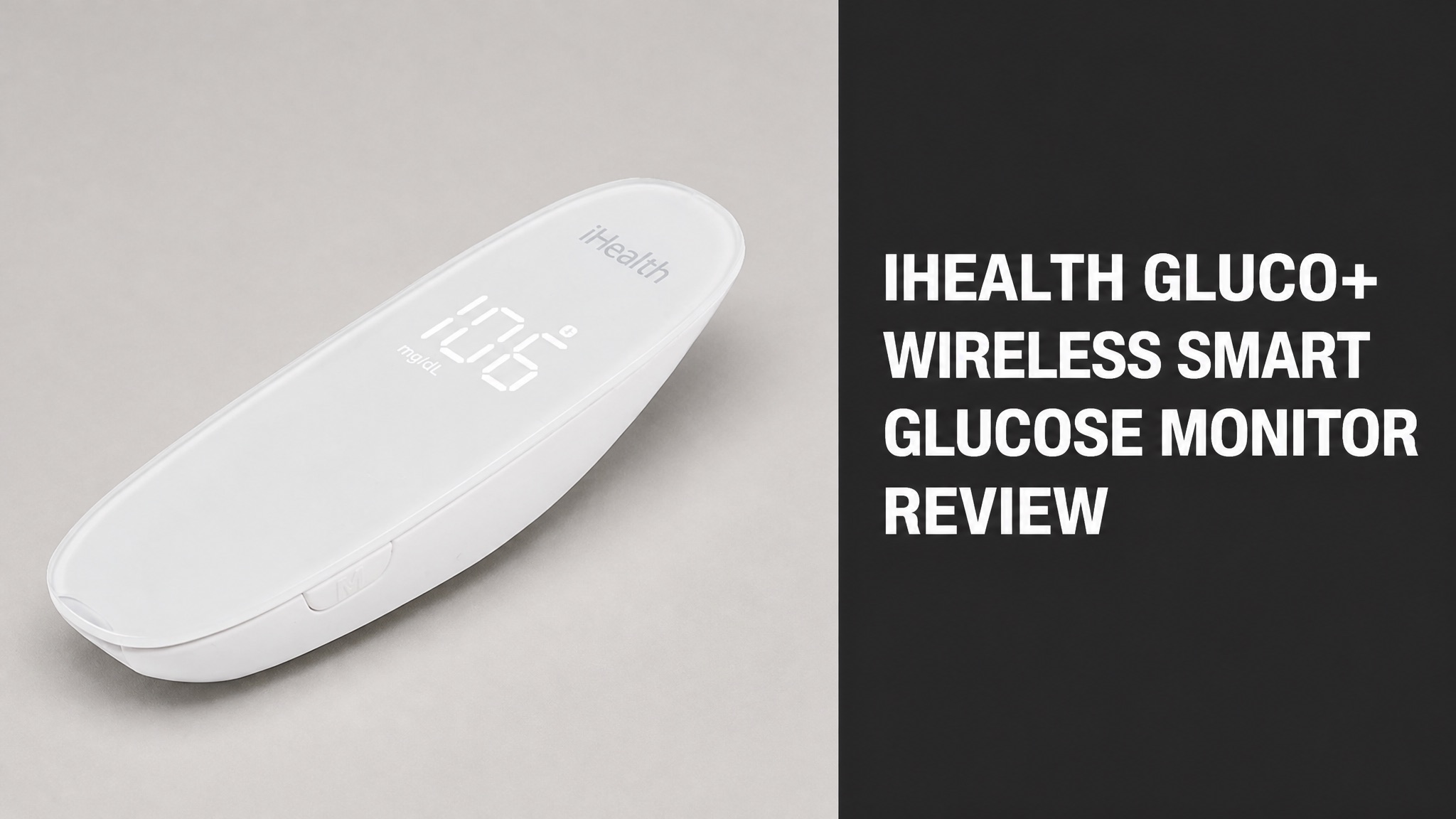
iHealth Gluco+ is a Bluetooth blood glucose meter that sends fingertip readings to the free iGluco app. Made by iHealth Labs, the BG5S shows results in 5 seconds and stores 500 readings. This review tests the claims against official specs and user feedback.
The meter needs 0.7 microliters of blood and meets EN ISO 15197:2015. The app tracks meals, activity, and reminders. Reviews praise the size and speed. Some users report strip errors. Prices run from $37.57 (USD) in the US to €43.95 (EUR) in Europe. Test strips cost extra and work only with iHealth meters.
Each section below answers one buyer question, from how the meter works to who should skip it. The goal is simple: decide if Gluco+ earns a place in a daily testing routine before spending money on the kit and strips.
What Is iHealth Gluco+?
iHealth Gluco+ is a Bluetooth blood glucose meter that sends fingertip readings to the free iGluco smartphone app. The system comes from iHealth Labs and is sold as the BG5S. The meter tests capillary blood, then shows the result in 5 seconds on a built-in LED screen. The same number lands in the app, ready to log with notes. Both iOS and Android work.
In plain English: the meter works like a classic glucometer with a digital logbook attached. Does that matter? Yes, because the app stores meals, activity, and notes beside every reading, so patterns are easy to spot.
What Comes in the Box?
The 10-kit includes a meter, a lancing device, 10 lancets, 10 test strips, a carrying case, and printed guides. A USB charging cable is also packed in, because the meter runs on a built-in rechargeable battery. The 100-kit swaps in 100 lancets and 100 strips. Pick by testing habit. Lancets are single-use only, and nobody shares a meter. Both include a case.
Kit Contents (10-Kit):
- 1 blood glucose meter
- 1 lancing device
- 10 lancets and 10 test strips
- Carrying case
- Quick start guide and user manual
- USB charging cable
To be clear, package contents vary by region. The European BG5SKIT Lite, for example, lists no test strips in the box, so check the listing before ordering.
How Does iHealth Gluco+ Work?
iHealth Gluco+ measures glucose in a fingertip blood drop with amperometric technology and a glucose dehydrogenase (FAD-GDH) enzyme strip. The strip reacts with the blood sample. The meter then converts that reaction into a number and syncs it over Bluetooth 4.1 to a phone. New strip bottles need no coding step at all. Results appear within 5 seconds.
The meter reads from 20 to 600 mg/dL (1.1 to 33.3 mmol/L). Here’s the kicker: it needs only 0.7 microliters of blood, which is a tiny drop. Values outside the range show as Lo or HI.
How Do You Take a Reading?
A reading takes four moves: insert a strip, collect blood, apply the drop, and read the result. Dirty or wet hands change results, so wash and dry them first. The meter wakes when the strip goes in and sleeps again if no blood arrives within 3 minutes. The full routine takes under a minute. Lancets are for single use only. Dispose of used strips safely.
Steps:
- Wash hands with warm soapy water and dry them thoroughly.
- Load a new lancet and pick one of the 9 depth settings.
- Insert a test strip with the arrow facing the meter.
- Lance the fingertip and touch the blood drop to the strip.
- Read the result after 5 seconds, then eject the strip with the eject button.
Pay attention to this: squeezing the finger is a mistake. iHealth’s help center says squeezing the site gives an inaccurate measurement. Massage the finger gently instead.
Can You Test Without the App?
Yes. The meter stores up to 500 readings in its own memory, so testing works without a phone. Insert a strip and test as normal, and the result saves on the device. Open the app later and tap Upload to sync the offline readings to the cloud account. Nothing is lost in between. The meter holds the 10 latest readings even after a sync, for quick checks.
What happens at reading 501? The oldest result gets overwritten by the newest one. Press the M button to scroll through stored results from newest to oldest. The meter also keeps its 10 latest readings after a sync.
What Features Does iHealth Gluco+ Have?
The meter combines a compact body, an LED screen, a 0.7-microliter sample, and nine lancing depth settings. A strip eject button keeps fingers off used strips. The rechargeable battery covers up to 200 measurements per charge, and the unit shuts off after 10 idle seconds. Charging happens through the included USB cable, so no special dock is needed.
Specs matter when comparing meters, so here is the short version. The table below lists the numbers from iHealth’s own European spec sheet.
Key Specifications:
| Spec | Value |
|---|---|
| Size | 98 x 35 x 27.8 mm (3.9 x 1.4 x 1.1 inches) |
| Weight | 32.5 g (1.1 oz) |
| Blood sample | 0.7 microliters |
| Memory | 500 readings |
| Range | 20-600 mg/dL (1.1-33.3 mmol/L) |
| Battery | 3.7V 250 mAh Li-Ion, rechargeable |
Bottom line: the hardware is basic but complete. No coding is needed, and results display in mg/dL or mmol/L.
How Does the iGluco App Help?
The free iGluco app logs every reading and charts it against the target range the user sets. Tags cover meals, carbs, activity, and voice memos. Summary, Trends, and Logbook views show averages for the past week, 2 weeks, month, and 3 months. Entries sit in a free iHealth cloud account for viewing at any time. Averages break out by day and by meal.
What’s more, sharing is built in. Reports export as CSV or PDF for a doctor or relative. Reminders cover glucose tests, medication, and insulin, so nothing slips through.
Toby Smithson, a certified diabetes educator, praised the meter’s discreet size and the app’s clear before-meal and after-meal readings. The endorsement sits on iHealth’s own product page, so read it as marketing.
Is iHealth Gluco+ Accurate?
Yes. The meter meets EN ISO 15197:2015 accuracy requirements, according to iHealth’s spec sheet. The system also carries FDA 510(k) clearance and CE certification. Those are the benchmarks regulators use to judge home glucose meters. iHealth lists the 5-second result time and the no-coding design as part of the same package. Both claims come from the maker.
No independent lab comparison turned up in this research, so the accuracy claim comes from the maker. Why does that matter? A control solution test is the fastest way to confirm that meter and strips work together.
Control solution is sold separately. The liquid contains a known amount of glucose. iHealth warns that other brands give inaccurate results, so only its own solution should be used with its strips.
Handling shifts results too. Does room temperature matter? Yes. Let the meter and strips sit in the same 10-40 °C (50-104 °F) room for 30 minutes before testing.
Is iHealth Gluco+ FDA Cleared?
Yes. iHealth Gluco+ holds FDA 510(k) clearance, which is a clearance and not a full approval. Retail pages also list CE certification, which covers European markets. The first Wireless Smart-Gluco Monitoring System reached US shelves in October 2013 and was described as FDA-approved at launch. Check the current FDA database entry for the latest status.
Vitality Medical labels the kit as Rx only, following the maker’s labeling. A valid prescription or professional license is checked before shipment.
What Do iHealth Gluco+ Reviews Say?
Reviews lean positive, with praise for the app, the size, and the speed, and complaints about strip errors. Meter-specific ratings are thin. Vitality Medical shows 5.0 stars from 2 reviews. Walmart’s iHealth strip listing shows 4.8 out of 5 from 51 ratings. Both pages are small samples. Neither page proves long-term performance, so read them as signals.
Strip reviews matter here, since strips set the running cost. At Walmart, 86% of ratings are 5 stars, and none are 1 or 2 stars.
What Do Users Like?
Users praise easy operation, record keeping for doctors, and the low cost of strips. One Walmart reviewer says the system works with iPhone and keeps records for the doctor. Others call the strips quick and affordable. A diabetes educator on the iHealth page likes the discreet size. Vitality Medical lists easy-to-read data as a top highlight as well.
Pros:
- Easy to use
- Small and discreet body
- Five-second results
- Free app with sharing tools
- Affordable strips
And it gets better. Vitality Medical echoes the same points: easy-to-read data, quick results, a discreet design, and effective app data management.
What Are the Common Complaints?
The main complaint is wasted strips from error messages. A 3-star Walmart reviewer says many strips return wet or already-used errors, and some days three strips are burned. Another reviewer gives 4 stars and calls the system okay but not easy to use. One more reviewer wants one bottle of 50 strips, not two of 25. Praise still clearly outweighs criticism.
Cons:
- Strip errors reported by some users
- Strips sold in two 25-count boxes
- Control solution costs extra
- Strips work only in iHealth meters
Is that a deal breaker? Probably not. E3 errors point to wet or damaged strips, early strip removal, or too much blood. A fresh strip is the fix.
What Are the Downsides and Risks?
The main risks are wasted strips, extra cost for control solution, and the need for medical follow-up on extreme readings. The meter flags Lo below 20 mg/dL (1.1 mmol/L) and HI above 600 mg/dL (33.3 mmol/L). Repeat the test with a new strip, then seek medical advice if the result stays extreme. Those steps come straight from the iHealth troubleshooting list.
The app carries a clear disclaimer too. Its guidance has no basis for clinical diagnosis, so a doctor’s advice comes first. Does the meter diagnose anything? No, it tracks numbers only.
Temperature causes errors as well. Where is the limit? The E5 code appears below 10 °C (50 °F), and E6 appears above 40 °C (104 °F).
Who Should Avoid iHealth Gluco+?
Anyone who wants continuous readings needs a different device, because Gluco+ tests one fingertip drop at a time. The meter has no sensor patch and no needle-free option. Each reading requires a lancet and a fresh strip. Alternative sites like the arm or thigh are possible, but a blood sample is still required. Strips work only with iHealth meters.
Some Android tablets are out as well. iHealth says not all Android tablets can run the Gluco-Smart app because of OS limitations. Phones need iOS 8.0 or higher, or Android 4.4 or higher.
How Much Does iHealth Gluco+ Cost?
iHealth Gluco+ sells for $37.57 (USD) at Vitality Medical and €43.95 (EUR) on iHealth’s European store. Vitality’s list price is $42.21 (USD), an 11% saving. The European price includes tax. Kit contents differ by seller, so compare the box lists before judging which listing is cheaper. A kit with strips changes the math. Vitality’s kit includes strips.
Test strips are the real running cost. How big is it? A 50-strip pack of two 25-count boxes costs €17.57 (EUR) in Europe. FSA and HSA eligibility at Vitality Medical helps offset spending in the US.
Price Snapshot:
| Seller | Item | Price |
|---|---|---|
| Vitality Medical | BG5S kit with case, strips, lancets | $37.57 (USD) |
| iHealth Europe | BG5SKIT Lite meter | €43.95 (EUR) |
| iHealth Europe | Test strips, 50 pieces | €17.57 (EUR) |
| iHealth, 2013 launch | Original system with 50 strips | $79.95 (USD) |
To put it simply: the original system launched at $79.95 (USD) in 2013 with 50 strips included. Current kit prices are lower, though the strip counts differ.
Is iHealth Gluco+ Worth the Price?
Yes. The meter delivers app syncing, a 500-reading memory, and rechargeable power for under $40 (USD) at some retailers. The app and cloud account cost nothing. Strips at 50 for €17.57 (EUR) keep testing costs modest. The app, the memory, and the battery all come in the base kit. Strip supply is the only extra. Rechargeable power avoids coin cell costs.
Is the rechargeable battery a saving? Yes, because no coin cells are needed, and one full charge covers up to 200 measurements.
Where to Buy iHealth Gluco+?
iHealth Gluco+ is sold on the official iHealth Labs store and through retailers like Best Buy, Vitality Medical, and Carewell. The 2013 launch put the original system in select Best Buy stores. Walmart sells iHealth strips. Amazon runs an iHealth store page. Australian buyers can order from FitTrack. Carewell and Vitality Medical carry the BG5 line.
Where Buyers Find It:
- Official iHealth Labs store
- Best Buy
- Vitality Medical
- Carewell
- Walmart (test strips)
- FitTrack (Australia)
Stick with authorized sellers. The iHealth notice warns against sellers who price far below market. The warning covers its COVID-19 tests, but the same caution fits any medical device.
Are Test Strips Sold Separately?
Yes. iHealth test strips are sold separately in 50-count packs and work only with iHealth meters. The EGS-2003 strip uses GDH-FAD enzyme chemistry. Shelf life is 24 months from manufacture and 5 months after opening with proper storage. Packs usually come as two boxes of 25. Match the strip model to the meter. Control solution is optional. Check the model.
Keep that five-month window in mind. A big pack only pays off with frequent testing. Why? Expired strips give inconsistent results.
Is iHealth Gluco+ Worth It?
Yes. iHealth Gluco+ is a solid pick for people who want a simple fingertip meter with automatic app logging. The meter holds FDA clearance and CE certification. Speed, size, and sharing tools are the strongest points. Strip errors are the main weak spot. The free app also adds real value, since it turns each fingerstick into a record a doctor can read.
Short answer: buy it for logging, not for hands-free monitoring. The free app turns every test into a tagged, shareable record.
Who Is It Best For?
The meter suits people who test a few times daily and want records their doctor can read. Caregivers benefit too, since results export as CSV or PDF. Travelers get a 32.5 g (1.1 oz) body and a carrying case. The meter slips into a pocket, and the app keeps the history safe. Sharing with a doctor takes one tap in the app. Setup takes only a few minutes.
Best For:
- Fingerstick testers who want automatic logging
- Caregivers who share readings with family
- Travelers who need a pocket-sized meter
- Buyers who prefer a rechargeable meter
Not the right fit? Pick a continuous monitor if constant readings are the goal. Gluco+ takes one reading per fingerstick.