
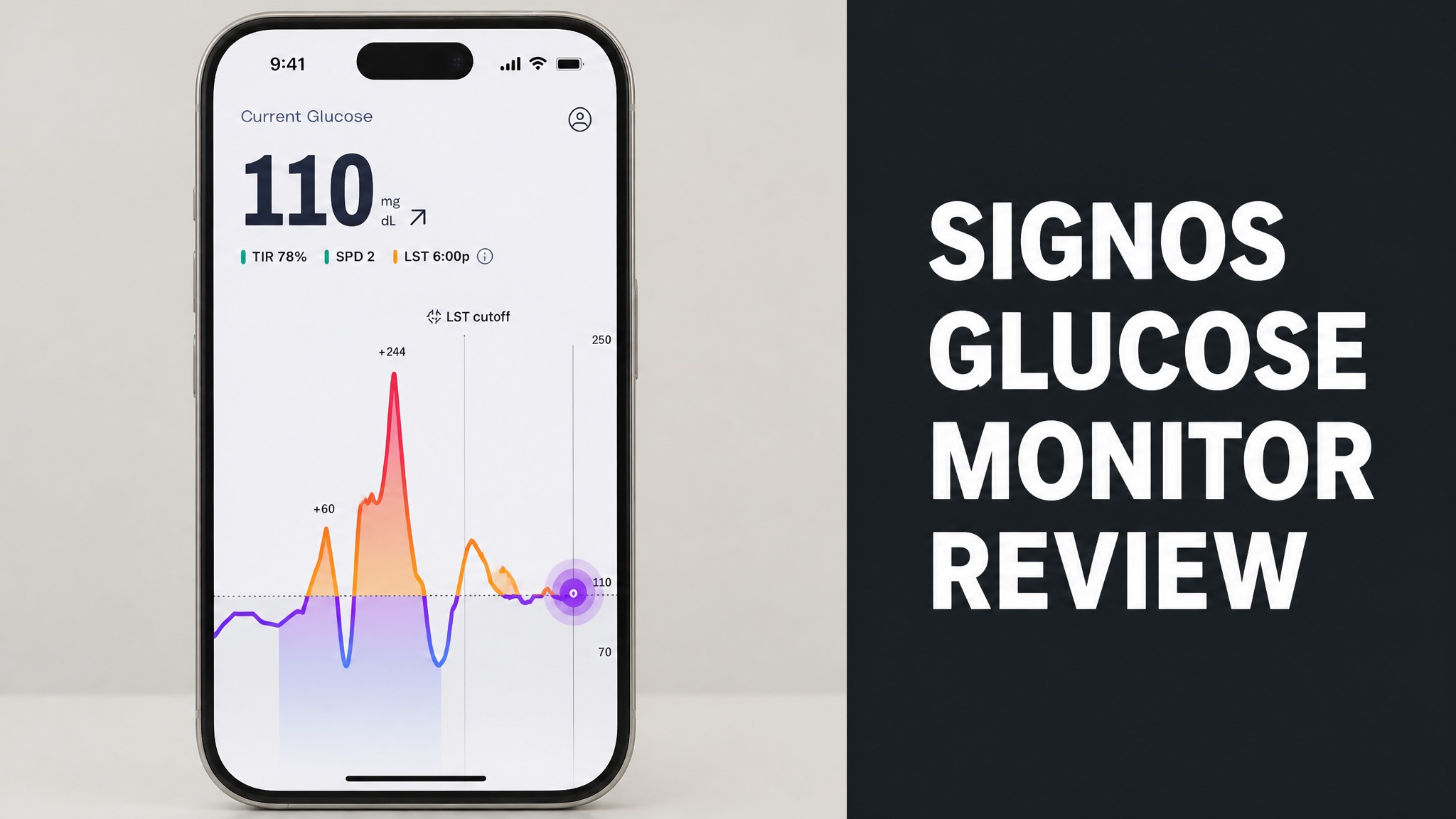
The Signos glucose monitor is a weight management system that pairs a Dexcom Stelo sensor with an AI-driven app. The FDA cleared it in August 2025 for adults aged 18 and older who aren’t on insulin. It sells as a paid membership, so cost matters as much as accuracy for most buyers.
The sensor reads glucose through a thin filament on the upper arm. The app turns those readings into meal, walking, and sleep prompts. Reviews praise the coaching feel but criticize price and sensor failures. Rivals such as Levels and Nutrisense take different approaches. Safety limits apply to insulin users, and some health conditions call for a doctor first.
Costs range from $129 to $189 per month depending on plan and timing. HSA and FSA funds may apply. The sections below cover how the system works, what users say, who should avoid it, and whether the price is worth paying for your own weight management goals and budget.
What Is the Signos Glucose Monitor?
The Signos glucose monitor is a weight management system with a wearable Dexcom Stelo sensor and an AI-driven app. The sensor reads glucose around the clock. The app turns those readings into daily food, movement, and sleep guidance. Signos sells the full bundle as a paid membership for adults who want to see how meals move blood sugar. Dexcom builds it.
Signos targets adults who want to see how meals and habits move their blood sugar. The company markets it to general wellness users, not only people with diabetes. Who is it really for? In plain English: it’s a coach built on glucose data.
What Comes With a Membership:
- Two 15-day Stelo biosensors per month, shipped quarterly
- Access to the Signos app
- Product and nutrition support
- Access to a private Facebook community
Is Signos FDA Cleared?
Yes. Signos holds FDA clearance as an over-the-counter glucose monitoring system for weight management. The agency cleared the system in August 2025, according to Fierce Biotech and HealthDay. Signos says it is the first such clearance for weight management. It covers adults aged 18 and older who aren’t on insulin. Fierce Biotech ran the story.
Clearance isn’t a promise of weight loss. Does that matter? It does. Signos states that users should not take medical action from the output without talking to a qualified healthcare professional.
How Does the Signos Glucose Monitor Work?
The Signos system measures glucose through a small upper arm sensor and sends the data to a phone app. A thin filament sits under the skin and reads interstitial fluid. The app then links each glucose rise to meals, exercise, stress, and sleep. Readings update every few minutes, all day and all night long. The sensor needs no fingersticks.
The app then suggests simple actions. For example, a short walk after lunch. Here’s the thing: the goal isn’t to ban carbs. The goal is to show which meals spike you.
Daily Loop:
- Wear the sensor and open the app.
- Log meals by photo, barcode, or manual entry.
- Watch the real-time glucose graph.
- Follow the suggested walk, meal tweak, or sleep change.
What Sensor Does Signos Use?
Signos uses the over-the-counter Stelo biosensor from Dexcom. Dexcom launched the 15-day Stelo in August 2024 for adults who don’t take insulin. Each sensor is worn on the upper arm for up to 15 days. One comparison site notes that Dexcom hasn’t published a Stelo-specific accuracy figure for users. Signos ships sensors in quarterly batches.
To be clear, that gap matters. So judge trends, not single readings. Do sensors ever fail? Sensor failures come up in some user reports, which is common across the whole CGM category.
What Is the Signos Glucose Range?
The Signos glucose range is a personal target zone that the app shows as a shaded area on your graph. Signos starts the upper bound at 140 mg/dL and the lower bound at 70 mg/dL. The algorithm then moves your upper bound between 110 and 140 mg/dL as it learns your patterns over time. Weight loss users see no lower bound, only an upper one.
The American Diabetes Association lists 80 to 130 mg/dL before a meal for adults. It lists under 180 mg/dL one to two hours after eating. Signos aims for roughly 85% of your day in range. Does 100% matter? No. Anything above 70% helps weight management, per the company.
What Are the Benefits of Signos?
The main benefit of Signos is that it turns raw glucose numbers into practical weight management actions. Many basic CGM apps only show a graph. Signos adds meal logging, spike alerts, and coaching prompts. Reviewers also like the habit tracking, the trend reports, and the wearable syncing across the app. Users also get product and nutrition support.
The app syncs with Apple Health, Google Health Connect, smartwatches, and smart scales. That makes workouts and weight part of the same view. What’s more, the trend reports show time in range and variability. Think of it this way: you get a dashboard and a coach.
Main Benefits:
- Real-time spike alerts with suggested actions
- Meal logging by photo, barcode, or manual entry
- Time in range and variability reports
- Wearable and smart scale syncing
- Product and nutrition support
Does Signos Help With Weight Loss?
No, not on its own. Signos gives you data and guidance, but weight loss still depends on your daily habits. The FDA clearance covers use as a tool for weight management. One review puts it bluntly. The sensor shows the pattern, but you still take the walk yourself. Results vary by person, and a doctor should guide any medical decisions made.
The company says staying above 70% time in range supports weight management. Is that proof of fat loss? No. In fact, it’s a company claim, so treat it as a guide, not a guarantee.
Does Signos Give Real-Time Guidance?
Yes. Signos sends real-time alerts and suggestions when your glucose starts to climb after a meal. Typical prompts include a 10-minute walk, a glass of water, or light stretching. The idea is to flatten a spike before it peaks. The app doesn’t wait to review the damage afterward. Those prompts come from the AI model that studies your own patterns.
This is where Signos stands apart from sensor-only options. Do the nudges get annoying? Some users find them helpful. Others find them intrusive. The good news? You can adjust how you use the app.
What Do Signos Reviews Say?
Signos reviews are mixed, with strong praise for the app experience and frustration over price and sensors. Independent review sites rate the user experience highly. Public feedback on Trustpilot averages roughly 2.5 out of 5 stars. Complaints focus on billing and app issues. Independent sites such as Healthy N Exercise score it 4.3 out of 5.
That gap is large. Why the split? Short answer: users who log consistently tend to get value. Users who expect the data alone to change their weight tend to be disappointed.
What Do Users Like About Signos?
Users like how Signos explains what to do after a glucose spike. The app feels more like a coach than a plain graph. Reviewers also praise the weight management focus, the habit tracking, and the way it makes hidden patterns easier to see. Many call it friendlier than a raw sensor readout. Some also value the private community and the support.
One review site rates Signos 4.3 out of 5 overall. Its user experience score is 4.6 out of 5. Ease of use scores 4.4 out of 5.
What Are the Common Complaints?
The common complaints are cost, sensor reliability, and the effort of constant meal logging. Signos costs more than standalone over-the-counter CGM options. Some users report sensor failures during a wear period. Others say the app needs consistent logging before the insights become useful at all. Trustpilot ratings also lag the review sites.
The tight glucose target is another gripe. A range like 80 to 120 mg/dL can feel strict. It may flag normal post-meal fluctuations.
Pros and Cons:
| Pros | Cons |
|---|---|
| FDA-cleared for weight management | Costs more than sensor-only options |
| Real-time spike alerts and tips | Sensor failures reported by some users |
| Syncs with wearables and smart scales | Needs steady meal logging |
| Eligible for HSA and FSA funds | Narrow weight management focus |
How Does Signos Compare to Other CGMs?
Signos sits between sensor-only products and full coaching programs in the consumer CGM market. Dexcom Stelo and Abbott Lingo give a more direct sensor experience. Nutrisense adds dietitian access. Ultrahuman M1 focuses on performance and recovery. Signos leans hard into weight management and daily nudges. Each rival fits a different user.
By comparison, Signos offers more structure than a plain graph. It offers less human coaching than Nutrisense. So what does that mean for you? The right pick depends on what you want from the data.
CGM Program Comparison:
| Program | Focus | Monthly Price |
|---|---|---|
| Signos | Weight and glucose coaching | $129-$189 |
| Dexcom Stelo | OTC glucose tracking | $89 |
| Lingo by Abbott | Food glucose insights | $89 |
| Nutrisense | CGM plus nutrition support | $179 |
| Ultrahuman M1 | Performance tracking | $199 |
How Does Signos Compare to Levels?
Signos focuses on weight management, while Levels focuses on data depth and wearable integrations. Levels leans toward biohackers who want detailed glucose curves. Signos leans toward users who want clear, prescriptive nudges. One comparison site scores Levels 8.9 and Signos 8.4 out of 10 overall. Both are software layers on top of a CGM sensor.
Both use Dexcom hardware in some plans. Does either include a human coach? No. Neither has human coaching included.
Is Signos Better Than Nutrisense?
Yes, for some users. Signos wins on real-time behavior nudges, while Nutrisense wins on human dietitian access. Nutrisense includes registered dietitian consultations in its subscription. Signos offers product and nutrition support plus a partnership with the digital nutrition startup Nourish for coaching. Both cost about $179 in one 2026 comparison.
Pick Nutrisense if you want a human to interpret your data. Pick Signos if you prefer fast app prompts. Here’s the thing: neither is wrong.
Who Should Avoid Signos?
People who use insulin should avoid Signos because the system is cleared only for adults who aren’t on insulin. The same goes for anyone under 18. The Stelo label also warns against use with problematic hypoglycemia. A doctor should guide anyone with a serious medical condition before they start. Pregnant users should ask their doctor first.
Some CGM programs may also be unsuitable for people with heart conditions, cancer, immunosuppressive therapy, or an active eating disorder. Pregnant and breastfeeding users should ask first. Talk to your provider before starting.
Talk to a Doctor First If You Have:
- Insulin use or problematic hypoglycemia
- Heart conditions or cancer
- Immunosuppressive therapy
- An active eating disorder
- Pregnancy or breastfeeding
Are There Side Effects?
Signos has no drug side effects, but the sensor can cause skin irritation or inaccurate readings. The filament sits under the skin for up to 15 days. Skin reactions to adhesive patches are a known issue with wearable sensors in general. Another risk is behavioral, since constant watching can create stress. Keep that risk in mind before you buy.
Another risk is behavioral. Constant glucose watching can create anxiety for some people. Is that a real concern? For anyone with a history of disordered eating, yes.
How Much Does Signos Cost?
Signos costs roughly $129 to $189 per month depending on plan length and current promotions. At launch in August 2025, a three-month plan cost $139 per month and a six-month plan cost $129 per month. A 2026 review lists about $189 per month for a six-month plan. Prices change often. Always check the live plans page on the official site first.
Prices change often. Why the gap? Promotions and plan length differ. Check the Signos plans page for the current rate. Longer commitments usually lower the monthly price. And the membership includes the sensors.
Plan Price Snapshots:
| Plan | Source Date | Monthly Price |
|---|---|---|
| Three-month plan | August 2025 | $139 |
| Six-month plan | August 2025 | $129 |
| Six-month plan | 2026 review | $189 |
Does Signos Offer Discounts?
Yes. Signos tends to run seasonal promotions, longer-plan discounts, and partner codes. The best price often shows up when you commit for more months upfront. First-plan offers for new members also appear from time to time. Check the plans page for the current rate before you sign up for anything. Partner and influencer codes are common too.
Look for codes during major sale periods. Partner and influencer codes usually have short windows. Here is the part most people miss: don’t pay full price without checking.
Where Can You Buy Signos?
You buy Signos directly from the company website by choosing a membership plan. The process starts with onboarding and a health eligibility check. Signos then ships the sensors to your door. You apply one sensor, pair it with the app, and start logging your meals, workouts, and sleep right away. The membership covers sensors and app access.
All plans auto-renew. You can cancel renewal at any time without affecting your current term. That policy comes from the Signos Help Center.
Does Signos Accept HSA or FSA?
Yes. Signos is listed as eligible for HSA and FSA funds. The company has a Help Center article on the topic. Eligibility can depend on your plan administrator, so confirm with your provider before you pay. This can lower the real cost of a membership for many households quite a bit. Keep your receipts, since rules differ by employer or administrator.
This can lower the real cost. Does it cover every plan? Not always, so verify first.
Is Signos Worth It?
Yes, for the right user. Signos is worth it if you will log meals consistently and want guided weight management habits. It isn’t worth it if you only want cheap glucose numbers. The cost is higher than sensor-only options, and the value sits in the app, not the sensor. Think of the price as a coaching fee, and weigh it against a basic sensor plan.
Bottom line: Signos is a coach with a sensor attached. Will you use the coach? If you won’t, skip it.
Who Gets the Most Value From Signos?
Adults who are curious about food and glucose and committed to weight habits get the most value. Data lovers who enjoy wearable tracking also benefit. People who want app guidance, not raw numbers, are the best fit. Skip it if you dislike logging or expect instant results from the data alone. Patience matters too, since patterns take weeks.
Skip it if you dislike logging or expect instant results. The data doesn’t lose weight for you. You do the work, and Signos shows you where to focus.